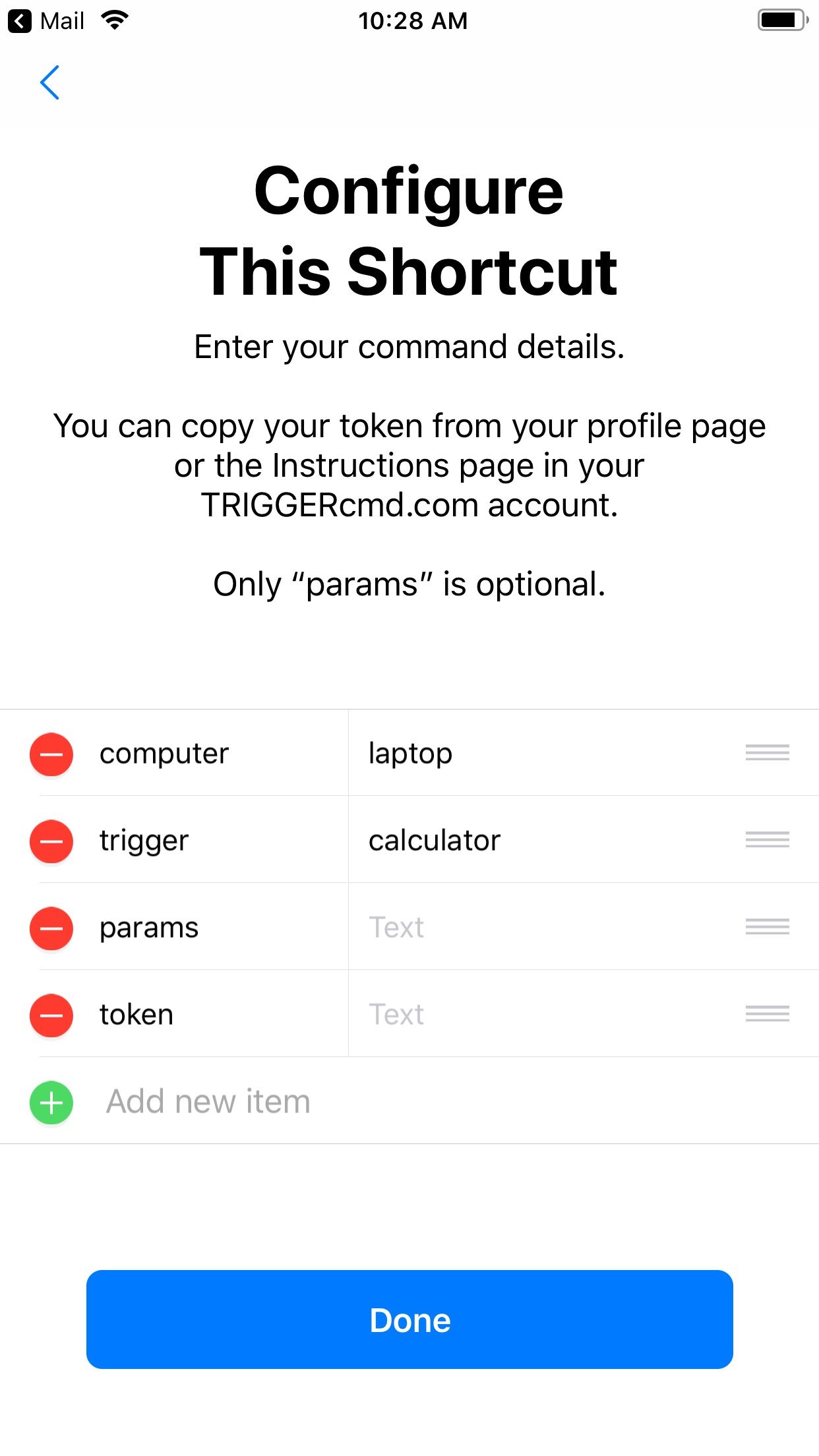
• Trigger a command with a Shortcut via Siri

    Pinned
    7
    2
    0 Votes
    7 Posts
    3k Views
    RussR
    Nice @gajahduduk. I'm glad you got it working. Thanks for sharing your use-case.
  • Monterey

    Pinned Moved
    2
    0 Votes
    2 Posts
    988 Views
    RussR
    Good question @garym77, the TRIGGERcmd agent is not in Apple's database so you need to hold the Control key, then click the TRIGGERcmd icon and click Open. After you've done that once, your Mac will trust it and you won't have to do it again. This article explains further.
  • Apple Silicon / Rosetta 2 being discontinued.

    2
    0 Votes
    2 Posts
    706 Views
    RussR
    @Matt-Packwood, I thought I did produce an Apple Silicon version. Are you saying this version isn't an Apple Silicon version? https://agents.triggercmd.com/TRIGGERcmdAgent-arm64.dmg
  • Crashing & translocation & ARM

    9
    0 Votes
    9 Posts
    2k Views
    RussR
    @gajahduduk, that's great. Thank you for testing it and letting me know.
  • Triggers appearing in view runs but not actually triggering.

    18
    0 Votes
    18 Posts
    4k Views
    RussR
    Thanks @Leron-Tolmachev .
  • Power on , turn on , wake up Imac

    1
    0 Votes
    1 Posts
    519 Views
    No one has replied
  • Set Up Help

    4
    0 Votes
    4 Posts
    1k Views
    RussR
    @James-Clark, great! Thanks for confirming you're all set.
  • Installation on Second Mac

    14
    0 Votes
    14 Posts
    3k Views
    RussR
    @abaratz, you're welcome. I'm glad that worked as a work-around. Thank you for reporting the problem too. If anyone else experiences this problem, please tell me.
  • Running Shell Script

    7
    0 Votes
    7 Posts
    2k Views
    A
    @Russ Sure. Here is the shell script: #!/bin/bash if [ "$1" == "start" ] then open -a "Slack" open -a "Microsoft Outlook" open -a "Safari" else osascript ~/Smarthome/Closeallapps.scpt pmset sleepnow fi And here is the AppleScript for Closeallapps: tell application "Shortcuts Events" set theResult to run shortcut "Quit All Applications" end tell
  • Clashing with Sophos AntiVirus

    2
    0 Votes
    2 Posts
    868 Views
    RussR
    @Matt-Packwood, in this post you solved it by excluding the /Applications/TRIGGERcmdAgent.app folder from the Sophos scans. Did that stop working?
  • NOT OPEN AGENT

    11
    0 Votes
    11 Posts
    2k Views
    Alexsis W. RegisA
    @Russ I delete my computer from the trigger and then works the agente but I dont know anycommand not works if you can help me please
  • Send Magic Packet to Mac using Tasker app

    3
    0 Votes
    3 Posts
    1k Views
    Harlane CastroH
    Hi @Russ, thanks for your feedback. I had already read these articles, but I read them again and I didn't get any progress in the sense that I can turn on my macbook screen by sending a magic packet. I saw in this link that it is possible to turn on the screen using SSH, and I even bought an Android app that sends SSH commands, but since I have no experience with scripts, I couldn't make it work either. I'm using the WolOn app on Android to send wake-on-lan and SSH commands. I am attaching screenshots of the app to shed light on the problem. Thanks! [image: 1669915072445-photo_2022-12-01-14.09.21.jpeg] [image: 1669915095362-photo_2022-12-01-14.09.08.jpeg] [image: 1669915410739-photo_2022-12-01-14.22.40.jpeg] [image: 1669915122732-photo_2022-12-01-14.09.17.jpeg] [image: 1669915134334-photo_2022-12-01-14.09.14.jpeg] [image: 1669915152539-photo_2022-12-01-14.09.01.jpeg] [image: 1669915164318-photo_2022-12-01-14.08.55.jpeg]

  • applescript

    Moved
    7
    0 Votes
    7 Posts
    2k Views
    RussR
    Nice job @garym77. I guess it makes sense you'd have to escape the spaces with backslashes.
  • Login Token is not working in MacBook Pro (Monterey)

    4
    0 Votes
    4 Posts
    1k Views
    RussR
    @Borbo-Letu, you're welcome. If you're still having problems, let me know if I can help.
  • HELP..my account amazon no connect with trigger cmd

    2
    0 Votes
    2 Posts
    1k Views
    RussR
    @juan-carlos-aguilar-marchena, I looked at your account and you don't have any computers associated with it. Maybe you deleted it. If you close and re-open the agent it would prompt you again for your token, then it will re-create your computer in your account. After that, please try running the commands using the web interface. You'll want to make sure that works before trying Alexa. On your cell phone, are you trying to log in with email/password or are you trying to use the Pair code to log it in? Please try linking the TRIGGERcmd Smart Home skill to your account using this page: https://alexa.amazon.com/spa/index.html#skills/search/triggercmd smart home/?&ref-suffix=iss_gw
  • This topic is deleted!

    1
    0 Votes
    1 Posts
    1 Views
    No one has replied
  • Freezing in Monterey

    Moved
    35
    0 Votes
    35 Posts
    12k Views
    Matt PackwoodM
    @russ I saw that, many thanks!
  • How to pass parameters on Mac?

    Moved
    5
    0 Votes
    5 Posts
    2k Views
    RussR
    @Mike, good, I'm glad you knew to do that. I forget to tell people to change the permissions on bash scripts to make them executable.
  • iPhone App not recognising my log in details

    Moved
    2
    0 Votes
    2 Posts
    854 Views
    G
    I've worked it out... Making an account on the forums is not the same as making an account to use TriggerCMD... Once I realised that then everything fell into place.
  • Create Trigger to use macOS terminal to Ping domain

    Moved
    2
    0 Votes
    2 Posts
    1k Views
    RussR
    @kbnetguy, I answered here: https://www.triggercmd.com/forum/topic/821/create-trigger-to-use-macos-terminal-to-ping-domain