TRIGGERcmd
    • Categories
    • Recent
    • Tags
    • Popular
    • Users
    • Groups
    • Search
    • Register
    • Login

    Installation on Second Mac

    Scheduled Pinned Locked Moved Mac
    14 Posts 2 Posters 3.0k Views 1 Watching
    Loading More Posts
    • Oldest to Newest
    • Newest to Oldest
    • Most Votes
    Reply
    • Reply as topic
    Log in to reply
    This topic has been deleted. Only users with topic management privileges can see it.
    • A Offline
      abaratz @Russ
      last edited by

      @Russ Thanks.

      Yes, I have tried quitting and restarting the agent.

      I’ll try editing the json for now.

      RussR 1 Reply Last reply Reply Quote 0
      • RussR Offline
        Russ @abaratz
        last edited by Russ

        @abaratz , I don't see the same problem on my mac. Which Mac CPU are you running? I'm running an Intel.
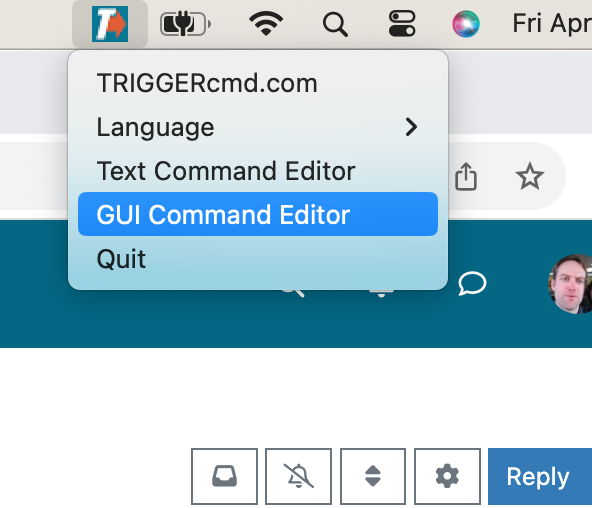
        Screenshot 2024-04-19 at 5.56.40 PM.png

        FYI, I also deleted my agent and re-installed it after upgrading to 4.4.1 and it's still working for me.

        Russell VanderMey

        1 Reply Last reply Reply Quote 0
        • A Offline
          abaratz
          last edited by

          @Russ I’m using a new MacAir with an M3 processor - Apple silicon.

          1 Reply Last reply Reply Quote 0
          • A Offline
            abaratz
            last edited by

            @Russ Also, the OS is 10.4.1, not 4.4.1.

            1 Reply Last reply Reply Quote 0
            • A Offline
              abaratz
              last edited by

              @Russ Oops - That’s 14.4.1 on the OS. Sorry.

              RussR 1 Reply Last reply Reply Quote 0
              • RussR Offline
                Russ @abaratz
                last edited by Russ

                @abaratz, ok, we have the same OS. I meant 14.4.1 when I wrote 4.4.1 above. I hope it's not a CPU issue but I'll do some research and testing with Apple silicon. I'm pretty sure it has worked on Apple silicon though, so I doubt that's it.

                If you haven't tried uninstalling / re-installing, that's something you could try. Also, what antivirus software do you have, if any.

                Thank you for your help and patience BTW.

                EDIT: I just tried it on a Mac with an M1 Applic silicon chip and it worked for me.

                Russell VanderMey

                A 1 Reply Last reply Reply Quote 0
                • A Offline
                  abaratz @Russ
                  last edited by

                  @Russ Yes - I have tried uninstalling and re-installing, but the result was the same. Also, I just shutdown the Mac and restarted it. I watched the menu bar closely during the startup and TC showed up in the menu bar for about two seconds and then went away. Odd. In any case, thanks for trying.

                  Alan.

                  A 1 Reply Last reply Reply Quote 0
                  • A Offline
                    abaratz @abaratz
                    last edited by

                    @Russ And, no antivirus software other than what comes with the OS. Thanks.

                    A 1 Reply Last reply Reply Quote 0
                    • A Offline
                      abaratz @abaratz
                      last edited by

                      @Russ By the way, editing the commands.json file worked. Thanks for suggesting that.

                      RussR 1 Reply Last reply Reply Quote 0
                      • RussR Offline
                        Russ @abaratz
                        last edited by Russ

                        @abaratz, you're welcome. I'm glad that worked as a work-around. Thank you for reporting the problem too.

                        If anyone else experiences this problem, please tell me.

                        Russell VanderMey

                        1 Reply Last reply Reply Quote 0
                        • RussR Russ referenced this topic on

                        Hello! It looks like you're interested in this conversation, but you don't have an account yet.

                        Getting fed up of having to scroll through the same posts each visit? When you register for an account, you'll always come back to exactly where you were before, and choose to be notified of new replies (either via email, or push notification). You'll also be able to save bookmarks and upvote posts to show your appreciation to other community members.

                        With your input, this post could be even better 💗

                        Register Login
                        • First post
                          Last post
