Reregistering Triggercmd on a New PC and copying across all commands
-
Hi
My old PC died and I want to reregister TriggerCmd on my new pc and make sure it is working before I pay for a yearly subs.
I have an image of the old PC on my new PC. I can see all my commands showing in the commands.json file from the image.
So the only way is to delete the PC showing under my account and add the new PC and copy accross the contents from the commands.json file?
If so when I delete the PC will there be an option to add a PC, I cent see any option currently to add a PC
Can you somehow just edit the MAC address somewhere?
Thanks
-
I ended up deleting the computer from my account, uninstalling trigger from pc and deleting the trigger directory user settings.
Lucky I had a copy of my settings/commands from my old pc. I copied across the file contents and it worked.
Has to be an easier as all that is technically changing is the MAC address?
Also, if u use my than 1 PC do u need to create a shutdown command for each PC and edit the voice command to include the PC name or and will it work by using 1 shutdown command and simply say "shutdown (computername)"
Thanks
-
@Edwin-Zahra, I'm glad you figured it out. You did the right thing - because you haven't subscribed, you can only have one computer, so you had to delete the old computer before you could add the new computer.
An alternative would have been to copy your ~/.TRIGGERcmdData folder from your old computer to your new one. That would have copied your commands.json and your computerid.cfg file which contains your computer ID. That computer ID is what connects your computer record to your actual computer running the triggercmd agent software. It's not the MAC address - it's that computer ID.
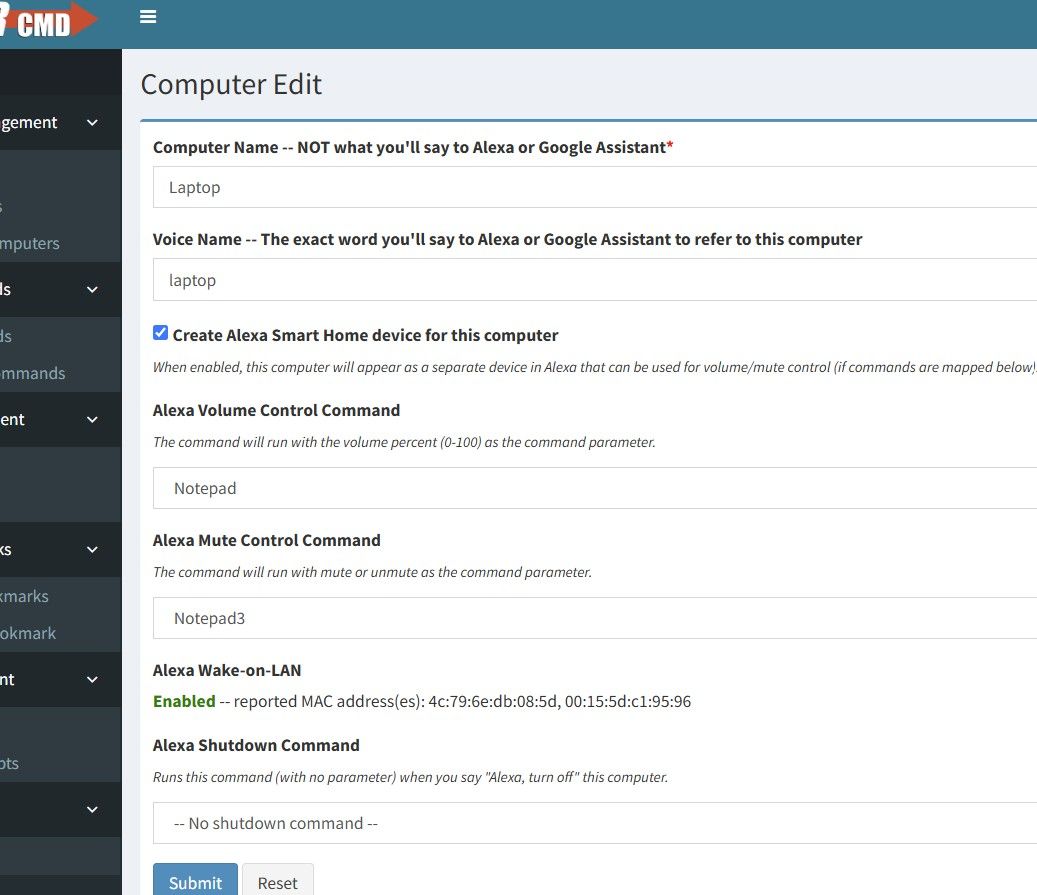
Also, yes, whether it's your old or new computer, if you check the "Create Alexa Smart Home device for this computer" checkbox you can say Alexa, turn off X, where X is your computer's voice name.
-
Sorry Im not seeing this screen, went thru every menu item. Im guessing its some where under computer management ? Looks like you have an extra line under Computer Management. Can you please advise path or settings to get to this screen. Below is what showing in my client.
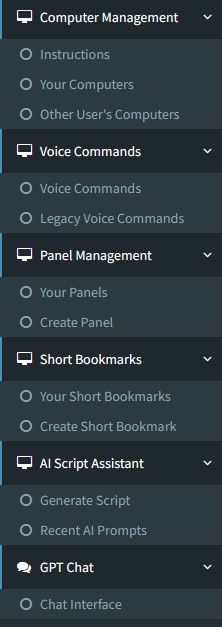
Also, not sure if this is related, when I say power on (pc name), Alexa says something along the lines, enable the skill for this device, but still boots up?
Thanks


Hello! It looks like you're interested in this conversation, but you don't have an account yet.
Getting fed up of having to scroll through the same posts each visit? When you register for an account, you'll always come back to exactly where you were before, and choose to be notified of new replies (either via email, or push notification). You'll also be able to save bookmarks and upvote posts to show your appreciation to other community members.
With your input, this post could be even better 💗
Register Login