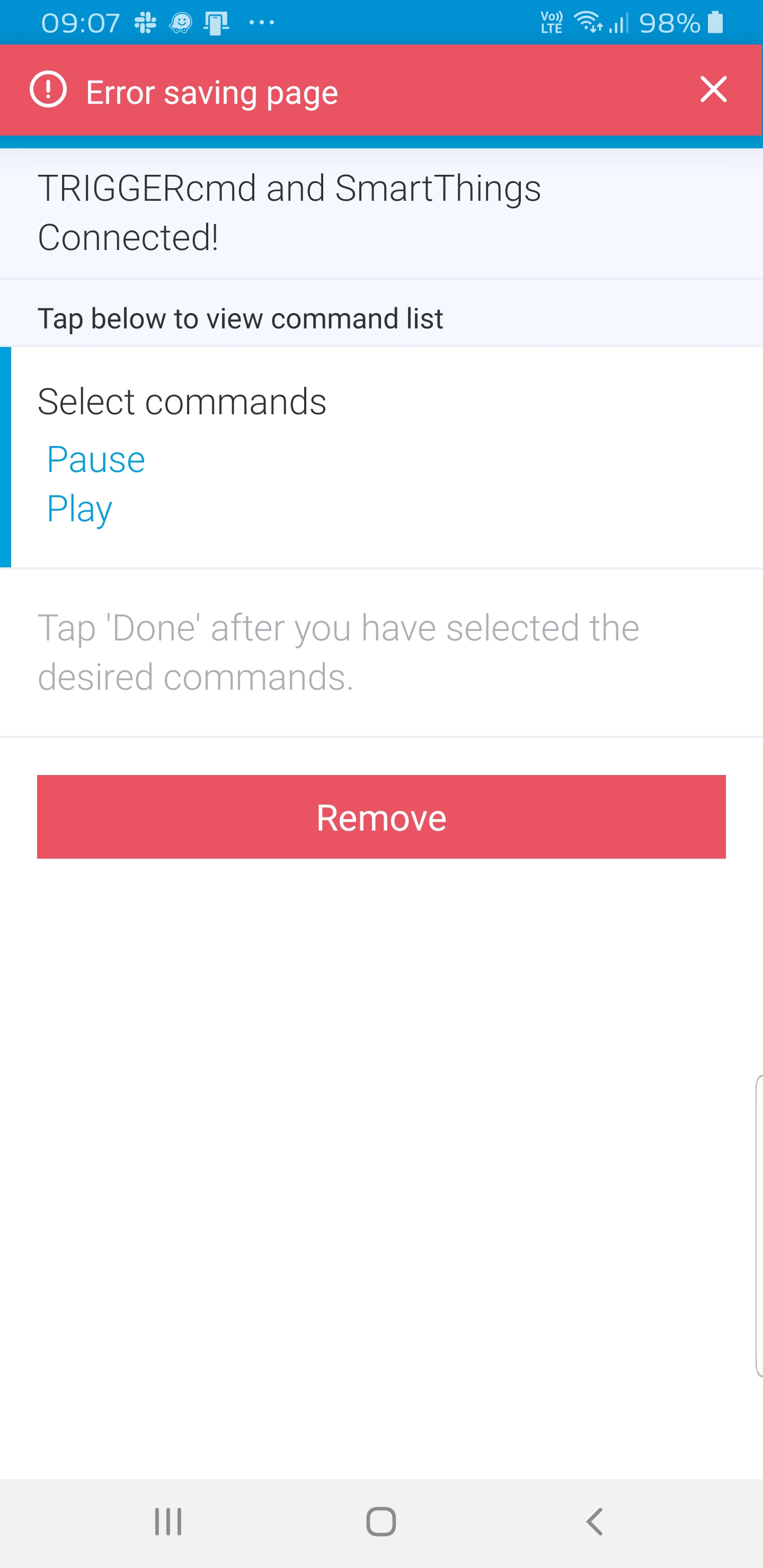
• Error in Smartthings

    2
    1
    0 Votes
    2 Posts
    729 Views
    RussR
    @sulisenator, can you try these things? Un-select all of our commands from your TRIGGERcmd SmartApp - hopefully it will let you save the page after that. Manually remove any TRIGGERcmd switches the SmartApp may have left because they're associated with other SmartApps, or used in a Routine or something. You'll find the Remove button under the gear under the switch. Go back into the TRIGGERcmd SmartApp and re-add the switches you want.
  • Sending keyboard commands?

    2
    0 Votes
    2 Posts
    1k Views
    RussR
    @monty, have you tried xdotool? https://unix.stackexchange.com/questions/267704/command-to-simulate-keyboard-input
  • computer change out

    3
    0 Votes
    3 Posts
    905 Views
    M
    will do thanks
  • 0 Votes
    2 Posts
    946 Views
    RussR
    @glauco-keniti-inoue, currently it's not possible, but now that you've asked, it's on my todo list.
  • Newbie needing help

    2
    0 Votes
    2 Posts
    670 Views
    RussR
    @shaun-pillai, if I understand correctly, you probably need to: Install curl from here. Add a TRIGGERcmd command called GarageLightsOn that runs this command: curl http://192.168.0.101:3480/port_3480/data_request?id=lu_action&output_format=json&serviceId=urn:micasaverde-com:serviceId:HomeAutomationGateway1&action=RunScene&SceneNum=57 Setup your IFTTT Webhook with these settings: Method: POST Content Type: application/x-www-form-urlencoded Body: token=(your token from the instructions page) URL: https://www.triggercmd.com/api/IFTTT?trigger=**GarageLightsOn**&computer=**ComputerName**
  • Triggers running but command not executing

    3
    0 Votes
    3 Posts
    2k Views
    XtropyX
    Thanks Russ. That worked. I was trying various commands like trying to run "nano" and it didn't pop-up so figured there were bigger issues at play. Since I am not running in an X environment, I'm assuming the commands run in a random virtual console? I was running foreground to get visibility and troubleshooting from the logs. I just modified the commands.json line for this to background and started the daemon and this also worked. Not a lot of documentation for using triggercmd via command line (ssh) and most is focused on the GUI so fumbling may way around :). Thanks again for the reply. Now that I know commands are running correctly, I'll play around with the scripts I want to run. Great program BTW
  • Alexa Skill in Italy

    6
    0 Votes
    6 Posts
    3k Views
    G
    @russ said in Alexa Skill in Italy: TRIGGERcmd is a cloud service that allows you to securely and remotely run commands on your computers. Your commands could install updates, reboot, run a script, or anything else you decide. Login at www.triggercmd.com. Download and install an agent on your computer. It will prompt for the token during the install. Go to the Instructions page in your triggercmd.com account, and copy the token. Paste the token from the Instructions page into your agent to log it in. Your computer will now show up in your www.triggercmd.com account. Click Edit and add a voice trigger to your computer. Add the TRIGGERcmd skill in your Alexa app. Link your Alexa account to your TRIGGERcmd.com account. Say: Alexa, open TRIGGERcmd. Say: run Calculator on Office (use your own computer's voice trigger instead of "Office") TRIGGERcmd è un servizio che ti permette di impartire comandi in remoto ai tuoi computer in piena sicurezza. Puoi installare aggiornamenti, riavviare il PC, avviare uno script o qualsiasi cosa di cui tu abbia bisogno. Effettua il login su www.triggercmd.com. Scarica ed installa il client sul tuo computer. Ti verrà richiesto un token durante l'installazione. Vai sulla pagina Instructions del tuo account triggercmd.com e copia il token. Incolla il token quando richiesto dal client per collegare il tuo account. Il computer appena associato verrà mostrato nel tuo account www.triggercmd.com. Clicca su Edit e aggiungi un trigger vocale al tuo computer. Aggiungi la skill TRIGGERcmd alla tua app Alexa. Connetti il tuo account Alexa al tuo account TRIGGERcmd.com. Dici: Alexa, apri TRIGGERcmd. Dici: apri Calcolatrice su nome_computer (dove nome_computer corrisponde al trigger vocale impostato nei passaggi precedenti)

  • Can we customize the triggerCmd word?

    2
    0 Votes
    2 Posts
    689 Views
    RussR
    @daveola, no, that's the name of the Google Assistant action or Alexa skill. You could use the alternative called "Trigger Command" instead.
  • Where is the TRIGGERcmd Command Editor?

    4
    0 Votes
    4 Posts
    2k Views
    RussR
    @daveola, I think I'm due for an update to that Youtube video. I'll make sure it's more prominent in the new recording. The desktop icon the agent installs on the desktop just runs that tray icon, so that doesn't help much.
  • Suddenly stopped working on Google home.

    7
    0 Votes
    7 Posts
    3k Views
    RussR
    @atmosphere, wow, I'm glad that was it because I had no idea what I could do about that.
  • Trying to find token, or even just Instructions link

    6
    0 Votes
    6 Posts
    1k Views
    RussR
    @bobrdavies, I'm glad you found it - yea the forum is a separate system so you have to use a separate account.
  • Error in trigger this example commands

    Moved
    4
    0 Votes
    4 Posts
    1k Views
    RussR
    @veepueco, if you run it from a cmd prompt does it work? Also, can you send a screenshot of the file name and path, and paste the contents of your script below?
  • Backup settings

    6
    0 Votes
    6 Posts
    2k Views
    RussR
    @strahan, the connection is made from the agent on your computer to the TRIGGERcmd servers via that IP. That doesn't mean traffic only has to flow in that one direction. In that IFTTT scenario, IFTTT sends a web request to the webhook on one of the TRIGGERcmd servers, and the TRIGGERcmd server your agent is connected to tells the agent to trigger the command.
  • Smart reply for voice with parameters

    13
    0 Votes
    13 Posts
    5k Views
    RussR
    @colegl and @phil-tanguay, I implemented this today for Google Assistant. I'm working on Alexa now. I put this in my Voice Reply field of my Notepad command (I should have just created a new command): Running {{trigger}} on {{computer}} with params {{params}} with result {{result}} I put this in the Command field: %USERPROFILE%\.TRIGGERcmdData\sendresult "My command result" I said this: Ask trigger command to run notepad with parameter russ Google Assistant said this: Running notepad on DS with params russ with result My command result I'm pretty happy with how it turned out. I only gave about 4-5 seconds to send a result via that SendResult.bat script. If you take too long, it will say "no result" in the {{result}} placeholder. EDIT: Now you can do this with Alexa too.
  • Do me a favor?

    3
    0 Votes
    3 Posts
    916 Views
    RussR
    Thanks @xander !
  • This topic is deleted!

    1
    0 Votes
    1 Posts
    1 Views
    No one has replied
  • 0 Votes
    3 Posts
    1k Views
    RussR
    @tim-s and @meyerdenney, yea I wish they didn't do that. Alexa's doing it now too, so I suspect there's some legal reason for it. I'm guessing it's to let users know this is a third party, not a Google service you're about to hear from. I was research this and came across this pretty thorough blog post. https://www.androidpolice.com/2018/02/10/ultimate-guide-google-home-tips-tricks-understanding-making-assistant-speaker/ I learned a few things from it, including that other people are annoyed by the multiple voices issue too: "Assistant apps talk back to you in a different voice than the one you're used to hearing from your Google Home. It's jarring at first, but Home will respond with, "Alright, getting X," and another voice will come up and tell you what this particular app/service can do and will continue answering you until you're done with it and want to go back to the regular Home voice and commands..." I also found this reddit post from a year ago that says Google Assistant will stop saying, "Alright, getting X" after you've been using X for a while. Unfortunately that hasn't been my experience. https://www.reddit.com/r/googlehome/comments/80efhh/google_home_stopping_talkative_introduction_to/ I also noticed Alexa doesn't always say "Ok here's TRIGGERcmd, ..." For instance if I say, "Alexa, run calculator" she doesn't, so maybe if the command is short enough she doesn't say it.
  • 0 Votes
    3 Posts
    1k Views
    J
    @russ Thanks a lot, this worked. I shouldn't've assumed it would always run in the home directory. This saved me a lot of headaches.
  • Not Showing Up In WebCore

    3
    0 Votes
    3 Posts
    1k Views
    W
    I got it working. It turns out that when you add a TRIGGERcmd command to the Webcore device list on your SmartPhone (Webcore > Settings > Available Devices), you have to scroll way down the screen to the Switches section. Normally most devices will show up at the top in the Actuators section.
  • RIP Trigger CMD

    2
    0 Votes
    2 Posts
    1k Views
    RussR
    @hellomiakoda, when I uploaded the .deb file last time I updated it, apparently I forgot to make it public.