• Using the Alexa Smart Home skill the first time

    Pinned Moved
    1
    0 Votes
    1 Posts
    11k Views
    No one has replied
  • Using the Alexa (non-Smart Home) skill the first time

    Pinned Moved
    2
    0 Votes
    2 Posts
    6k Views
    J
    Is not working, the message I received: We were unable to link TRIGGER command at this time.[image: link-result?success=false&isRTL=false&languageCode=en_US&asin=B074TV61DK&skillId=amzn1.ask.skill.727a8170-0aca-45d5-bd29-a783bd919dff&skillStage=live]
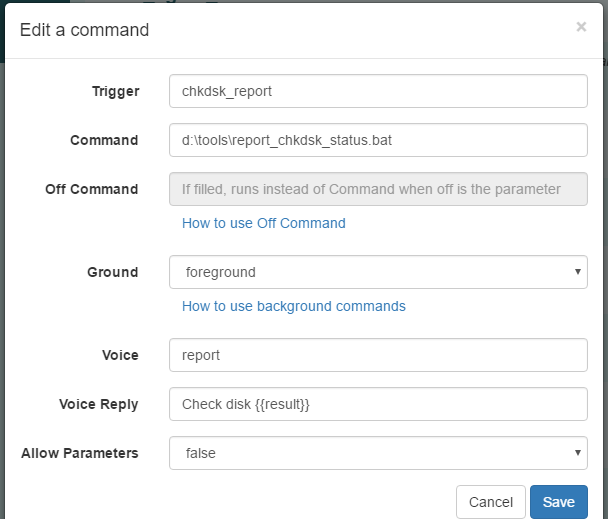
  • Have Alexa say result of long running process, like chkdsk

    Pinned
    1
    5
    0 Votes
    1 Posts
    1k Views
    No one has replied
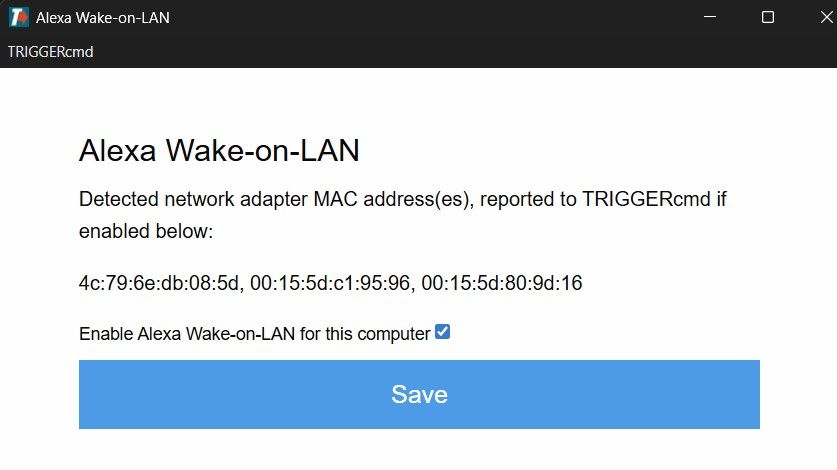
  • Alexa Wake-on-LAN

    1
    2
    0 Votes
    1 Posts
    32 Views
    No one has replied
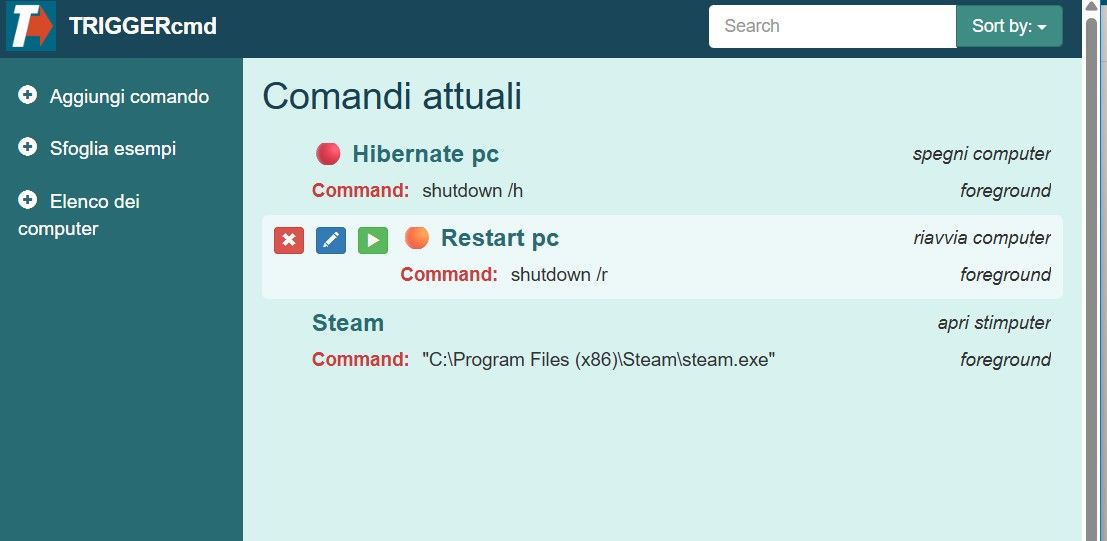
  • Cannot launch apps

    2
    1
    0 Votes
    2 Posts
    19 Views
    RussR
    @Luca-Coraggio, the "TRIGGERcmd Smart Home" Alexa skill is the one you want. Do you have a device for each command listed in your device list in your Alexa app? You'll need that because that's what you're telling Alexa to turn on/off. Please try changing your voice word for the Steam command to just "steam" so you can say, "Alexa, turn on steam", or in your case (Italian), "Alexa, avvia steam".
  • How can I open an iPhone app from triggercmd?

    4
    0 Votes
    4 Posts
    1k Views
    P
    For anyone trying to use TriggerCMD to run a routine on an iPhone, you can do so using TriggerCMD, IFTTT, and iOS Shortcuts. Here is how I achieved it: Create a TriggerCMD command of your choosing. It need not do anything. Use that command as the "Specific Command" trigger in IFTTT For the THEN THAT, I chose "Send me an SMS"* In the message of the SMS type a keyword of your choosing. Create the Action. On the iPhone, go to Shortcuts, and select Automation Tap + to start Shortcut creation. Choose "Message" Under "Message Contains," type in the keyword you used in the IFTTT applet Finish the Shortcut routine you wish to run when the SMS message is received *You could also achieve this sending yourself an email through IFTTT and choosing Email in the Automation section of Shortcuts Using this method, I do not have to say anything to the phone or even be near it to run a shortcut on it.

  • Routines not triggering anymore

    4
    0 Votes
    4 Posts
    348 Views
    RussR
    @Matthew-Mason, it's a good use case that I should not disable, so I'm glad you caught it.
  • Created new account on the same PC

    2
    0 Votes
    2 Posts
    502 Views
    RussR
    @Guilherme-Matos, I tried it. When I ran the TRIGGERcmd Agent in the other user account on my computer, the token prompt did show up, but I had to click the agent's icon at the bottom of the screen because it was behind my browser. I had to bring it to the front. If you don't get an icon at the bottom, let me know, and please tell me whether you're using the latest version. I'm running version 1.0.56 which I'm about to release. I added an emoji icon picker for commands.
  • [FIXED]

    2
    0 Votes
    2 Posts
    780 Views
    RussR
    @Moacir-Vilela-Sêga good. Sorry I didn't get back to you but I did test it and it was still working for me.
  • Did the alexa skill got deleted?

    1
    0 Votes
    1 Posts
    576 Views
    No one has replied
  • Alexa Plus

    4
    0 Votes
    4 Posts
    1k Views
    RussR
    @gajahduduk, ok - you're right you do have to use one the Trigger Command, TC, or TRIGGERcmd skill to hear the result of your command. To answer your question about adding that to the new TRIGGERcmd Smart Home skill - no, it's not possible.
  • New Computer Alexa doesnt work

    11
    0 Votes
    11 Posts
    3k Views
    RussR
    Thanks @Xander. I'm glad that worked.
  • Issue Connecting Second PC to Alexa for Automatic Shutdown

    2
    0 Votes
    2 Posts
    1k Views
    RussR
    @theotherclub, your second computer needs to have a "Voice Name" before Alexa will create devices for each of that computer's triggers. [image: 1742506076305-89b6ddc2-f582-41fb-b8cb-330509f9e9ba-image.png] Your first computer doesn't need a Voice Name because it's your default computer by default. This page in the documentation explains further: https://docs.triggercmd.com/#/./SmartHomeSwitches
  • Dimming X10 modules

    7
    0 Votes
    7 Posts
    2k Views
    karnold69K
    @Russ Thanks for getting me started. Also meant to post commands must be URL encoded even though it isn't a URL. Verbal command would be something like "Alexa, turn Loft Lights 40 [percent]
  • This topic is deleted!

    1
    0 Votes
    1 Posts
    4 Views
    No one has replied
  • Cannot trigger any command (SmartHome / Mac)

    8
    0 Votes
    8 Posts
    2k Views
    RussR
    @gajahduduk, changing the command's voice word might be what fixed it. That deletes and recreates the Alexa device.
  • I can't link the triggercmd skill with the alexa

    8
    0 Votes
    8 Posts
    2k Views
    RussR
    @Petter-Cardoso, thank you for telling me it's working. I didn't do anything, so maybe it was a temporary problem on Amazon's side. If you're not using the TRIGGERcmd Smart Home skill, I recommend switching to it, or at least try it to see if you like it better. I find that it works better. And you say, "Alexa, turn on Calculator" to run a command instead of the longer sentance, "Alexa, ask TRIGGERcmd to run Calculator."
  • Play a numbered mp3 file with the TRIGGERcmd Smart Home Alexa skill

    1
    0 Votes
    1 Posts
    802 Views
    No one has replied
  • internal server error

    4
    1
    0 Votes
    4 Posts
    1k Views
    RussR
    @Micael-Sousa, good to know. I'm glad you figured this out.
  • No devices discovered

    4
    0 Votes
    4 Posts
    1k Views
    RussR
    @StealthNet, sweet! Have fun!