Issue Connecting Second PC to Alexa for Automatic Shutdown
-
Hi everyone,
I’m trying to connect my PC to Alexa to automatically shut it down using a routine. I followed all the steps, and it works perfectly on one of my PCs. However, on my second PC, Alexa doesn’t detect any device.
I have already purchased the annual membership to use two PCs under the same account, but despite that, I can’t get it to work on the second machine.
Has anyone experienced a similar issue or found a solution? Any help would be greatly appreciated!
Thanks in advance!
-
@theotherclub, your second computer needs to have a "Voice Name" before Alexa will create devices for each of that computer's triggers.
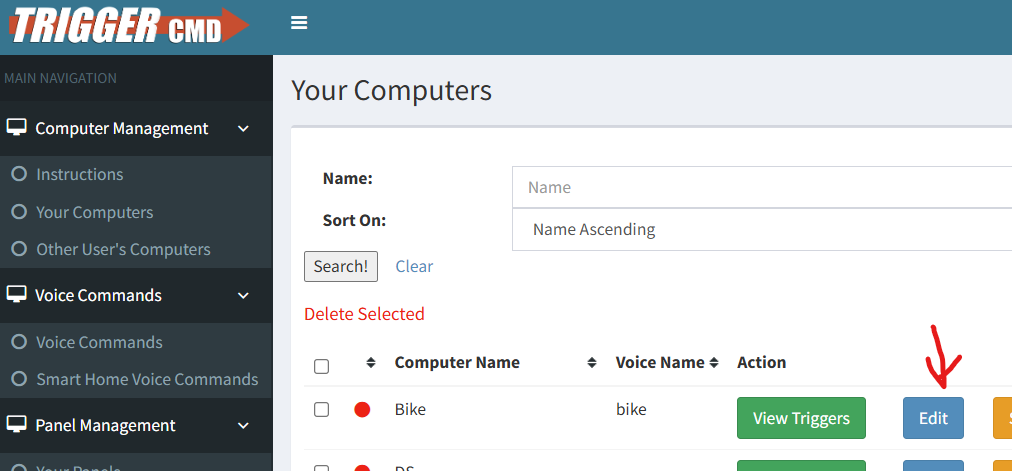
Your first computer doesn't need a Voice Name because it's your default computer by default.
This page in the documentation explains further:
https://docs.triggercmd.com/#/./SmartHomeSwitches

Hello! It looks like you're interested in this conversation, but you don't have an account yet.
Getting fed up of having to scroll through the same posts each visit? When you register for an account, you'll always come back to exactly where you were before, and choose to be notified of new replies (either via email, or push notification). You'll also be able to save bookmarks and upvote posts to show your appreciation to other community members.
With your input, this post could be even better 💗
Register Login