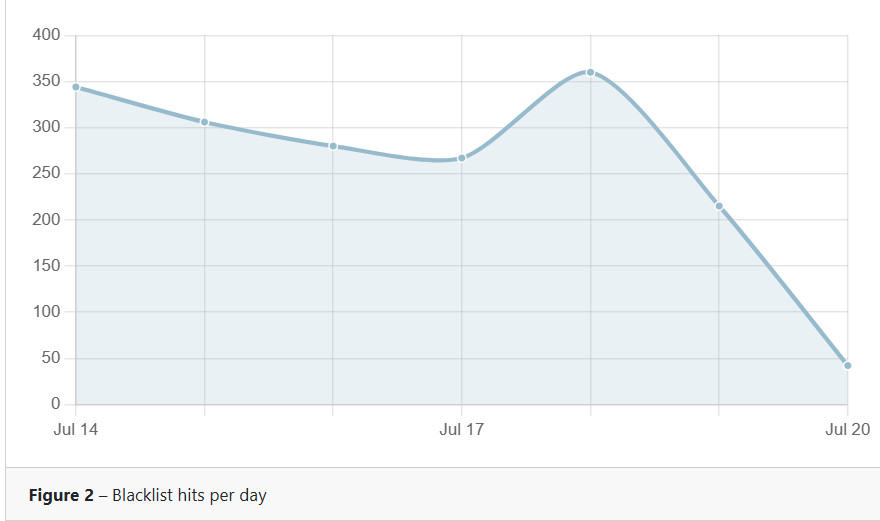
@Pierce-Ó-Brádaigh the 10 minute delay is a spam prevention mechanism. most spammers will not wait. these are the attempted logins of spammers for the last several days. It's gone as high as 1300 in the past
 X
Offline
X
Offline
Posts
-
RE: Purchased but Cancelled Renewal
-
RE: I want to be able to trigger an Alexa routine from a command line with the triggercmdagent installed on my Raspberry Pi
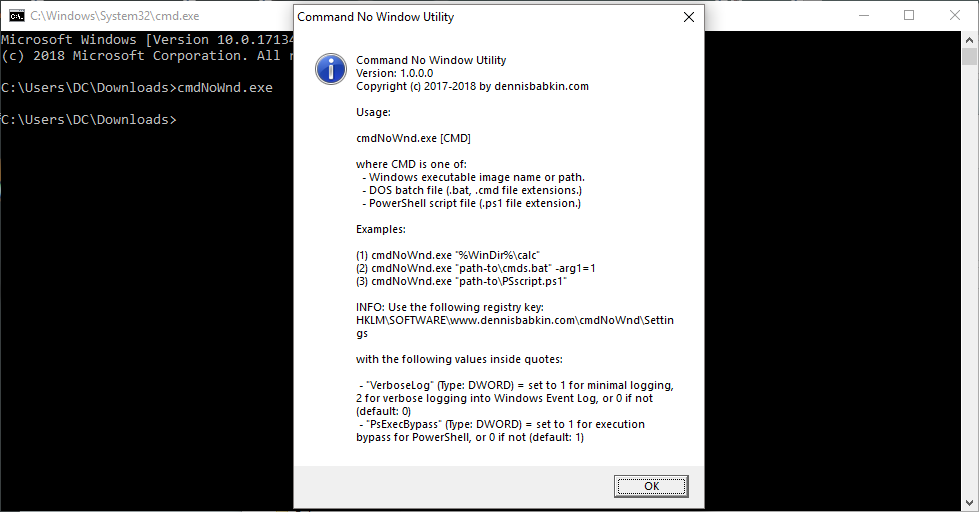
I use CMDNOWND for this. https://dennisbabkin.com/cmdnownd/
You pop it in the cmd line like this: cmdnownd "D:\Libraries\Documents\batchfile.bat" and it suppresses the appearance of the cmd window. Just place the exe in your path. I keep it in the Windows folder itself.
-
RE: Opening in a particular Window size
@Russ My screenshot is a .lnk shortcut as well - of Chrome opening with the URL of this discussion in a maximized window.
Zoom level is pretty moot because, unless wants to change a commonly viewed site, pretty much all browsers remember the zoom level of all sites visited. He can go to whateversite.com, set the zoom to 175%, and when the shortcut opens the site, it will be at 175%.
The clicking or scrolling is another, more complicated matter. -
RE: Opening in a particular Window size
@Russ The request for #1 was "launch a shorcut, webpage or .exe" so creating a shortcut this way covers it, no? The shortcut I just created opens a maximized window in Chrome to this page.
My only point being that it might not be necessary to reinvent the wheel. OP would still need to work out the zoom (but remember that browsers remember the zoom level of a given website so that pretty much covers the second step).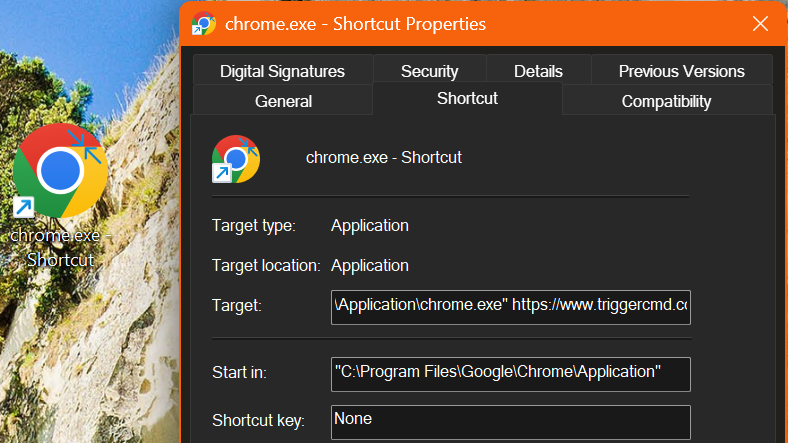
-
RE: Opening in a particular Window size
@Russ Could you create a shortcut with that parameter and start the program by calling the shortcut?
-
RE: Start and stop crypto mining with NiceHash
@Russ It's a spammer -- the new method they're doing is to not actually link the crap they're spamming. More subtle but still crap.
-
RE: Monetizing Triggers?
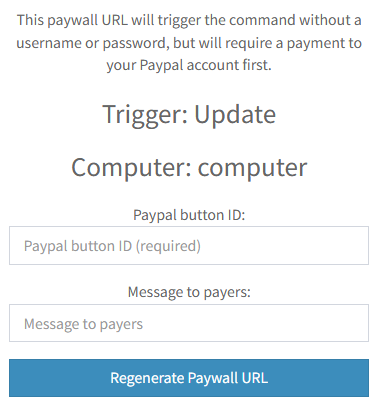
@Convaiyer Every trigger has a Paywall button. I've had no luck thinking of a way to use it because who wants to pay me to run a command on my own PC? I mean, you'd have to pay me to play Fortnite but other than that

-
RE: 1.0.47 not installing, no log
@Russ

 ️Not sure what the bottleneck was but I've been distracted prepping for a short camping trip.
I just realized I didn't restart the PC and, lo and behold, the install went fine. Not sure what was preventing the installer from running.
(Distracted enough that I never hit Submit on this until I just got back)
-
1.0.47 not installing, no log
Hi, Russ. I saw in the New comments that you'd posted an update so went to install it. The app updating itself failed so I downloaded the new installer.
The install failed and I wanted to prune down the log so that only that attempt was in there (less clutter) so I cleared it out and went to reinstall again BUT, when it failed, the log was empty. That said, there were multiple mentions in the log of not having access to "C:\Users\User\AppData\Local\Discord" which seemed odd but I set that folder for Everyone's access which didn't help.
Any ideas?
(Fully updated Win11 Home)
-
RE: New Computer Alexa doesnt work
@Russ Yes, just the .json into a clean install. Seemed safest.
I've un/reconnected the Triggercmd Smart home skill. It re-found the triggers on my less-used other computer but nothing from the new one. After some fiddling, it finally kicked in - I think setting a voice name finally did it.
It was just Alexa -- "triggers work on the PC and from the dashboard here" (this site)
Banana set to run notepad was added into Alexa within seconds. Which got me thinking and what I did was Cut out all my content from my .json, saved, ensure that the triggers disappeared from the Alexa app, repasted them back in, saved, and they all showed up ... AND WORKED.
Thanks for your help.
Saying "good night" to Alexa and having her turn off my monitors (smart plug) and hibernate the PC (trigger) is a big part of my routine. -
RE: New Computer Alexa doesnt work
@Russ Been trying that since last night and now the Alexa app won't rediscover them at all now, "organically" or even when I try to force detection.

-
RE: New Computer Alexa doesnt work
@Russ Necroposting as this is pretty much on target for me. Replaced my old computer with a newer one, copied everything over ... triggers work on the PC and from the dashboard here. I've made the new one the default and even deleted the old one but the devices in Alexa aren't triggering. I thought I might need to delete them and let them be rediscovered so I tried that and the newly-discovered ones aren't working.
I'm scratching my head here.
-
RE: Turning PC on (without WoL)
@Greg-Larsen If you want to add hardware, a $5 smart plug (Aliexpress) would do the job of your $25 (+hub) suggestion. Set the BIOS to turn on when power is provided and you're done.
I have my three monitors on one smart plug so when I say Good Morning to Alexa, she fires them up. I don't really need WoL so pressing the button is fine with me.
-
RE: Shutdown but computer starts few seconds later
@Joao-victor-0 That's not TriggerCMD causing the problem, it's another device connected to your PC that's causing it to power back on. If you run the command outside of TCMD, it will do the same thing.
Try unplugging your USB devices and see which one is reawakening your PC.
-
RE: Triggercmd doesn't install windows 64 bits
"2021-08-26 19:54:08 Program: About to install to: C:\Users\User\AppData\Local\Discord"
"2821-08 1-26 19:54:21) Apply 21 ApplyReleasesImpl: Updating shortcut C:\Users\User\Desktop\Discord.Ink"@Igor-Marinho Looks like you're installing Discord, not TriggerCMD.
-
RE: Shutdown command doesn't work on Windows Server
@matheus-venancio What is the actual command that you're using? And does it work from a cmd prompt?
-
RE: Turn On Notebook Display
@Bruno-Rafael Look through recent posts for NirCmd instructions. It can simulate key presses but I don't know that a virtual press will suffice.
If it does, simply create an Alexa routine with both actions (and you'd probably want to throw a Wait command in between)