TRIGGERcmd stdio MCP server for LLM AI integration
-
This should work with any MCP client, but I've tested it with VS Code and Claude Desktop.
This video shows how to set it up and use it: https://youtu.be/7QXUAFPOl4E
This screenshot shows the basic functionality, but click here for a more interesting use case that uses a "dynamic tool" that gets created for each command that has an MCP Tool Description.
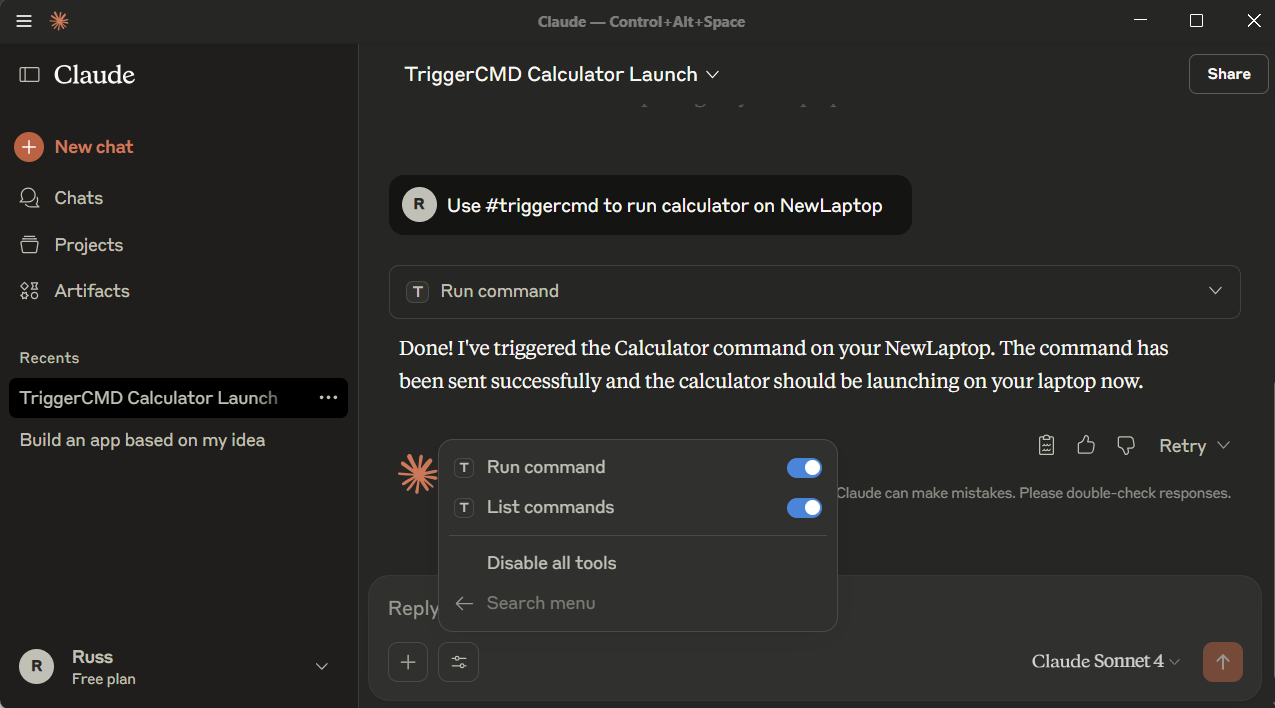
I put the instructions and download links here:
https://github.com/rvmey/triggercmd-mcp-stdioDownload the executable, and put the path to it in your mcp.json or claude_desktop_config.json file:
    "triggercmd": {
      "command": "C:\\tools\\triggercmd-mcp-windows-amd64.exe"
    }
Or for an online LLM tool like Mistral, ChatGPT, or OpenAI agent builder, use the online TRIGGERcmd MCP server.
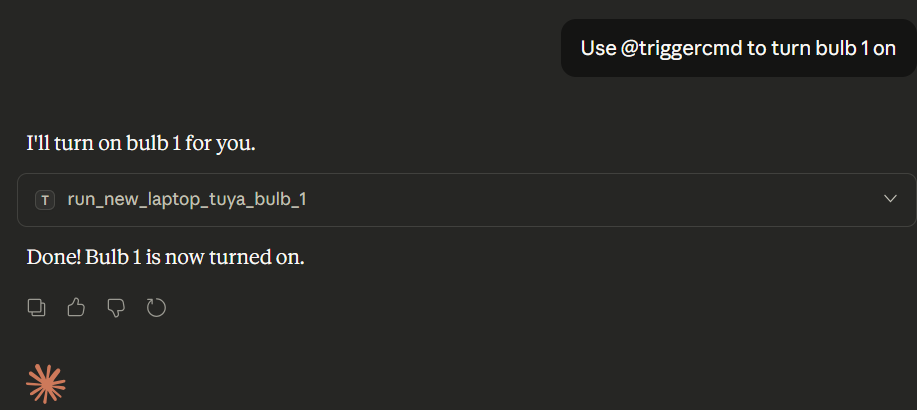
EDIT: Correction, use @ instead of # to specify the MCP server, like this:
-
 R Russ referenced this topic on
-
R Russ referenced this topic on
-
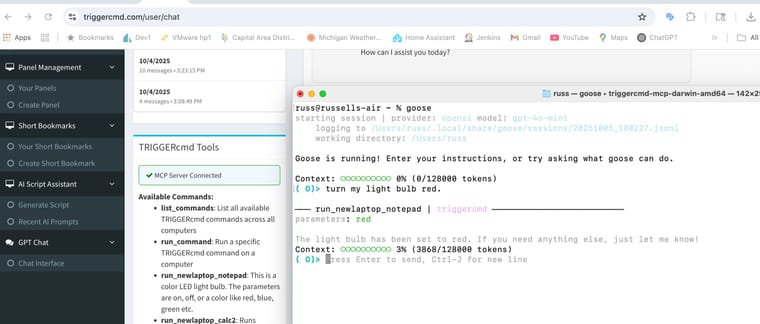
Here I'm using the triggercmd MCP server in goose:
-
R Russ referenced this topic on
-
R Russ referenced this topic on
-
R Russ referenced this topic
Hello! It looks like you're interested in this conversation, but you don't have an account yet.
Getting fed up of having to scroll through the same posts each visit? When you register for an account, you'll always come back to exactly where you were before, and choose to be notified of new replies (either via email, or push notification). You'll also be able to save bookmarks and upvote posts to show your appreciation to other community members.
With your input, this post could be even better 💗
Register Login