TRIGGERcmd
    • Categories
    • Recent
    • Tags
    • Popular
    • Users
    • Groups
    • Search
    • Register
    • Login
    1. Home
    2. Tags
    3. google assistan
    Log in to post

    • All categories
    • Daniel GarciaD

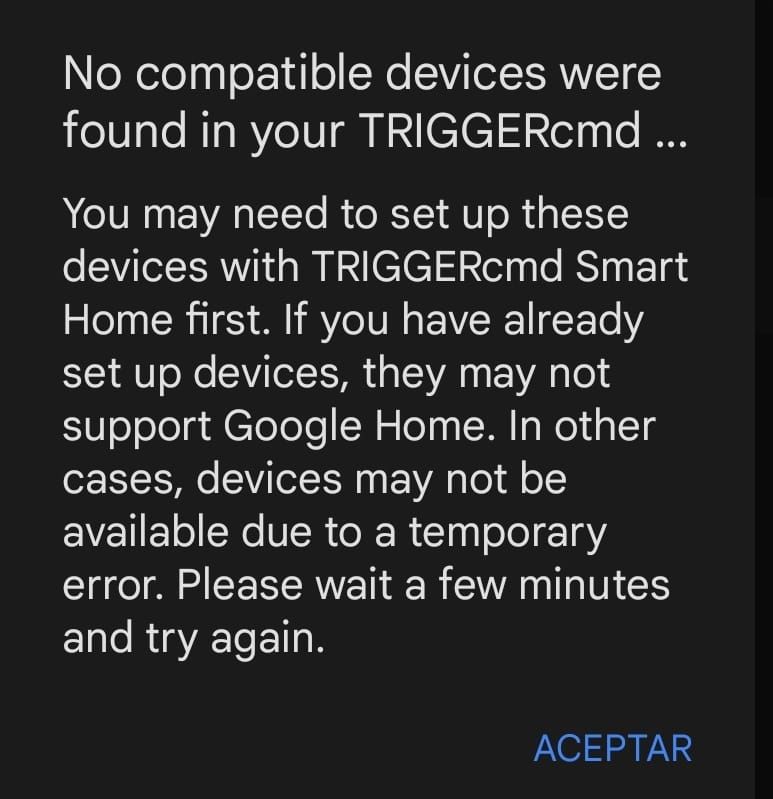
      Error Triggercmd Smart Home with google assistant

      Watching Ignoring Scheduled Pinned Locked Moved Google Home error problem google assistan commands link
      15
      1
      1 Votes
      15 Posts
      4k Views
      RussR
      Awesome @Valter-Santos ! Thanks for your patience, and for showing me this bug. I'm working on the fix now. EDIT: It should be fixed now, so it won't error even if you do have multiple triggers with the same name on the same computer.
    • tuicemenT

      Run a HomeGenie macro(script, scene)

      Watching Ignoring Scheduled Pinned Locked Moved Raspberry Pi homegenie alexa google assistan raspberry pi
      1
      0 Votes
      1 Posts
      1k Views
      No one has replied
    • tuicemenT

      Alexa Google Panic Alarm

      Watching Ignoring Scheduled Pinned Locked Moved Raspberry Pi google assistan alexa x10 homegenie raspberry pi
      5
      0 Votes
      5 Posts
      2k Views
      tuicemenT
      Yesterday I did a clean up of my HomeGenie disabling things I thought I no longer needed. After this I tested my Panic Alarm and discovered there were a few things required that I had left out. These may have been set by default with the initial install of HomeGenie. Besides the Demo-Toggle Door having to be enabled the Virtual Modules Demo program must also be enabled. As well the Automation.Demo 2 "DoorSensor" need to have the options to "Use as security sensor" and "Also trigger when armed Home" checked. The Automation.Demo 2 "DoorSensor" has to be in the closed condition prior to arming the security widget or you will need to send 2 panic calls
    • tuicemenT

      Arm/Disarm Security system via Google/Alexa

      Watching Ignoring Scheduled Pinned Locked Moved Raspberry Pi homegenie x10 alexa google assistan raspberry pi
      3
      0 Votes
      3 Posts
      2k Views
      tuicemenT
      Here's the command to arm the HG security system widget to armed home. curl http://HGAddress/api/HomeAutomation.HomeGenie.Automation/90/Control.ArmHome
    • tuicemenT

      Check DuckDNS connection status/update

      Watching Ignoring Scheduled Pinned Locked Moved Raspberry Pi homegenie alexa google assistan raspberry pi
      1
      1 Votes
      1 Posts
      2k Views
      No one has replied
    • tuicemenT

      Say room temperature and humidity

      Watching Ignoring Scheduled Pinned Locked Moved Raspberry Pi raspberry pi alexa google assistan
      9
      0 Votes
      9 Posts
      3k Views
      tuicemenT
      If your like me and find the decimal point in the return a bit confusing you can change the line os.system('~/.TRIGGERcmdData/sendresult.sh ' + 'Temp={0:0.1f} Humidity={1:0.1f}'.format(t,h)) to os.system('~/.TRIGGERcmdData/sendresult.sh ' + 'Temp={0:0.0f} Humidity={1:0.0f}'.format(t,h)) if you wish the return to send a Fahrenheit value instead of Celsius you can add the line t = (t* 1.8) + 32 just after the line #Print Temperature and Humidity on Shell window
    • tuicemenT

      Add quick link to TRIGGERcmd navigation

      Watching Ignoring Scheduled Pinned Locked Moved General Discussion feature request alexa google assistan
      7
      0 Votes
      7 Posts
      2k Views
      tuicemenT
      @russ Perfect! Thanks.
    • tuicemenT

      Different word options for Alexa/ Google on/off commands

      Watching Ignoring Scheduled Pinned Locked Moved General Discussion alexa google assistan
      1
      0 Votes
      1 Posts
      960 Views
      No one has replied
    • tuicemenT

      Feature request: Add ability to Dim with Alexa & Google

      Watching Ignoring Scheduled Pinned Locked Moved General Discussion feature request google assistan alexa
      13
      0 Votes
      13 Posts
      4k Views
      RussR
      @tuicemen, This is actually wrong ^. "deviceType":"light" is not a thing. If adding that made it work, it's because when you change a command, TRIGGERcmd deletes and re-creates the Alexa smart home device. That needed to happen for the Alexa device associated with your command to have the new brightness feature. Sorry I didn't tell you that sooner. Any newly created commands will have the new brightness and color features. Old commands just need to be changed so they get re-created. Or you can delete and re-discover them at https://alexa.amazon.com. Also btw, only Alexa supports brightness and color so far. I'll look into Google Assistant soon. EDIT 3/21/22: The "TRIGGERcmd Smart Home" action on Google Assistant supports color and brightness now too.
    • tuicemenT

      HomeGenie X10 control with single bash script

      Watching Ignoring Scheduled Pinned Locked Moved Raspberry Pi raspberry pi google assistan alexa homegenie x10
      15
      0 Votes
      15 Posts
      5k Views
      tuicemenT
      @russ thanks, I removed the deviceType from my json file and had Alexa rediscover and they do still dim. I edited my previous post. It should be noted that using dim turns the device to that value. So if you turn a light on (100%) then say dim 20% it doesn't set the light level to 80 but instead sets the light level to 20. At least that's the way it works for HG.
    • RussR

      YOUR Alexa/Google Assistant account to YOUR TRIGGERcmd account

      Watching Ignoring Scheduled Pinned Locked Moved Instructions troubleshooting alexa google assistan google home hub
      3
      0 Votes
      3 Posts
      1k Views
      RussR
      @tuicemen, good questions. You can link 1 Google account AND 1 Amazon account simultaneously to 1 TRIGGERcmd account. Yes, if you use 2 Amazon accounts you'll need 2 TRIGGERcmd accounts.