How to execute bash script on a mac
-
Hi,
I have tried many things, but I am not able to run a simple bash script on my mac
#!/bin/bash
chrome-cli open https://github.com/prasmussen/chrome-cli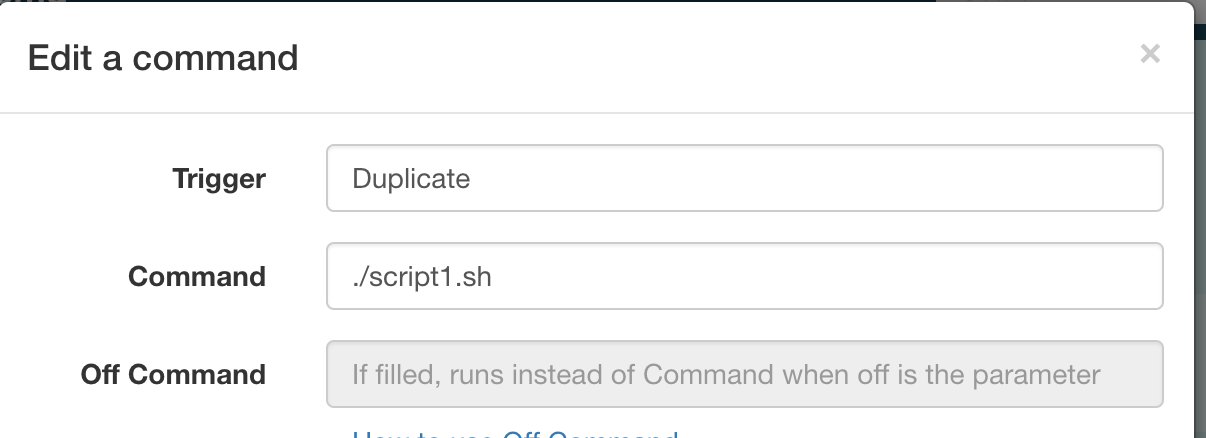
I want to use chrome-cli to automate chrome from my google home device. Obviously the bash script works fine when executed in the console.
Thanks in advance.
-
@Johnny-Bx, I suspect it's not finding the script because the path to it is wrong.
The dot (.) in ./script1.sh means run script.sh in the current directly. If script1.sh is in your home directory, you could replace the dot with a ~. The tilde (~) is a reference to your home directory.
Alternatively, you could specify the full path, like /scripts/script1.sh in that TRIGGERcmd Command field.
A third option would be to put script1.sh in a folder that your PATH environment variable includes, and make your command just script1.sh instead of ./script.sh.
I hope that helps. Let me know please.
-
@Russ said in How to execute bash script on a mac:
~)
Hi,
Yes you are right ./ means current directory but I have tried the full path, a tilde + the rest of the directory and even into a directory visible by the PATH but nothing happens when I click on the execute button. Other commands works fine (ie open -a Calculator) but not this one. I will make more investigations and thanks for you input.
-
@Johnny-Bx, you could try adding a line like this to your script:
#!/bin/bash
echo "It ran" >> /tmp/run.log
chrome-cli open https://github.com/prasmussen/chrome-cli
If you see something in /tmp/run.log you'll know it at least ran the script.
-
@Russ said in How to execute bash script on a mac:
echo "It ran" >> /tmp/run.log
Hi,
I see "It ran" into run.logLooks like the script is executed but for some reasion chrome-cli is not evaluated...
Thanks
-
@Johnny-Bx, just in case it's not finding the path to your chrome-cli tool, please try specifying the full path like this:
#!/bin/bash
/usr/local/bin/chrome-cli open https://google.com/search?q=$1
This worked for me too though, so I don't know why it didn't work for you:
#!/bin/bash chrome-cli open https://google.com/search?q=$1 -
Thanks!
chrome-cli is installed into another directory on my laptop (/opt/homebrew/bin/) but by calling "/opt/homebrew/bin/chrome-cli open https://github.com/prasmussen/chrome-cli" it worked fine. -
@Johnny-Bx , nice. Glad that worked.


Hello! It looks like you're interested in this conversation, but you don't have an account yet.
Getting fed up of having to scroll through the same posts each visit? When you register for an account, you'll always come back to exactly where you were before, and choose to be notified of new replies (either via email, or push notification). You'll also be able to save bookmarks and upvote posts to show your appreciation to other community members.
With your input, this post could be even better 💗
Register Login