New Streamable HTTP MCP Server for AI tools.
-
The Streamable HTTP MCP URL for TRIGGERcmd is https://www.triggercmd.com/mcp
To add it to VS Code, add an entry like this to your c:\Users\(your user)\AppData\Roaming\Code\User\mcp.json file:
{
	"inputs": [],
	"servers": {
	    "triggercmd": {
      		"type": "streamable-http",
      		"url": "https://www.triggercmd.com/mcp"
    	    }
	}
}
Until Google fixes this issue, for Antigravity, you'll need to include your token like this in C:\Users\(your user)\.gemini\config\mcp_config.json
{
  "mcpServers": {
    "triggercmd": {
      "serverUrl": "https://www.triggercmd.com/mcp",
      "headers": {
        "Authorization": "Bearer <your triggercmd token>"
      }
    }
  }
}
To add it to claude code:
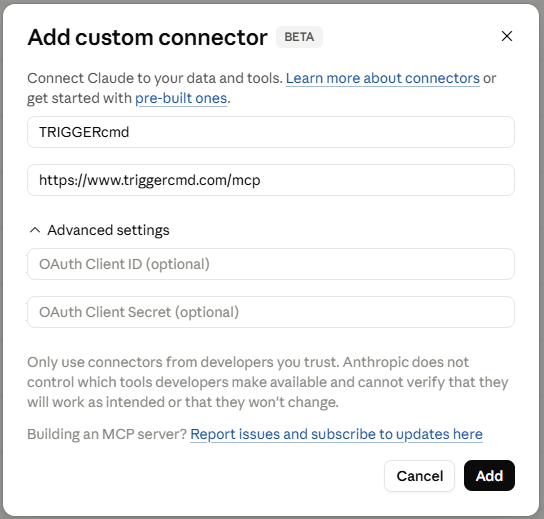
claude mcp add --transport http triggercmd https://www.triggercmd.com/mcpWe'll have to wait for Anthropic to approve the TRIGGERcmd as an official app before you can use it at https://claude.ai, but for now you can go here and add it as a custom connector: https://claude.ai/customize/connectors?modal=add-custom-connector
For ChatGPT go here and enable the app.
To set it up in Mistral AI, go here: https://chat.mistral.ai/connections
Then click + Add Connector and fill in this form: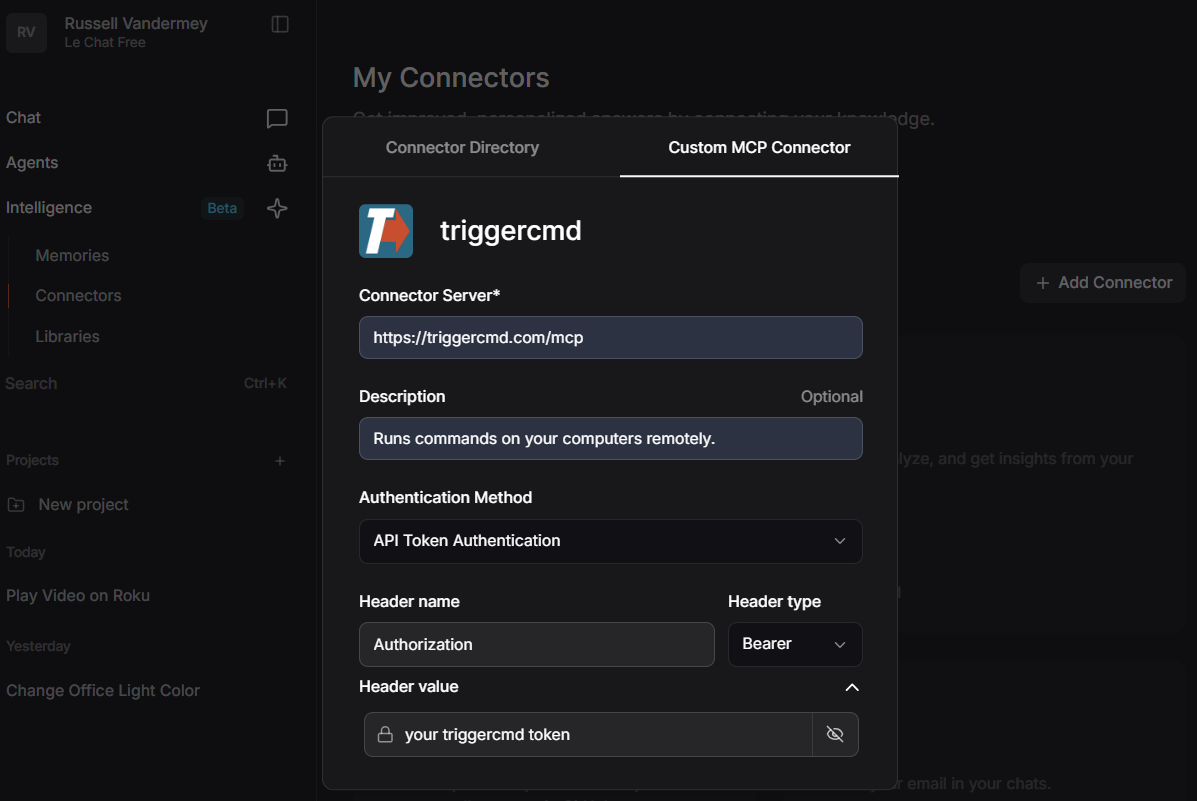
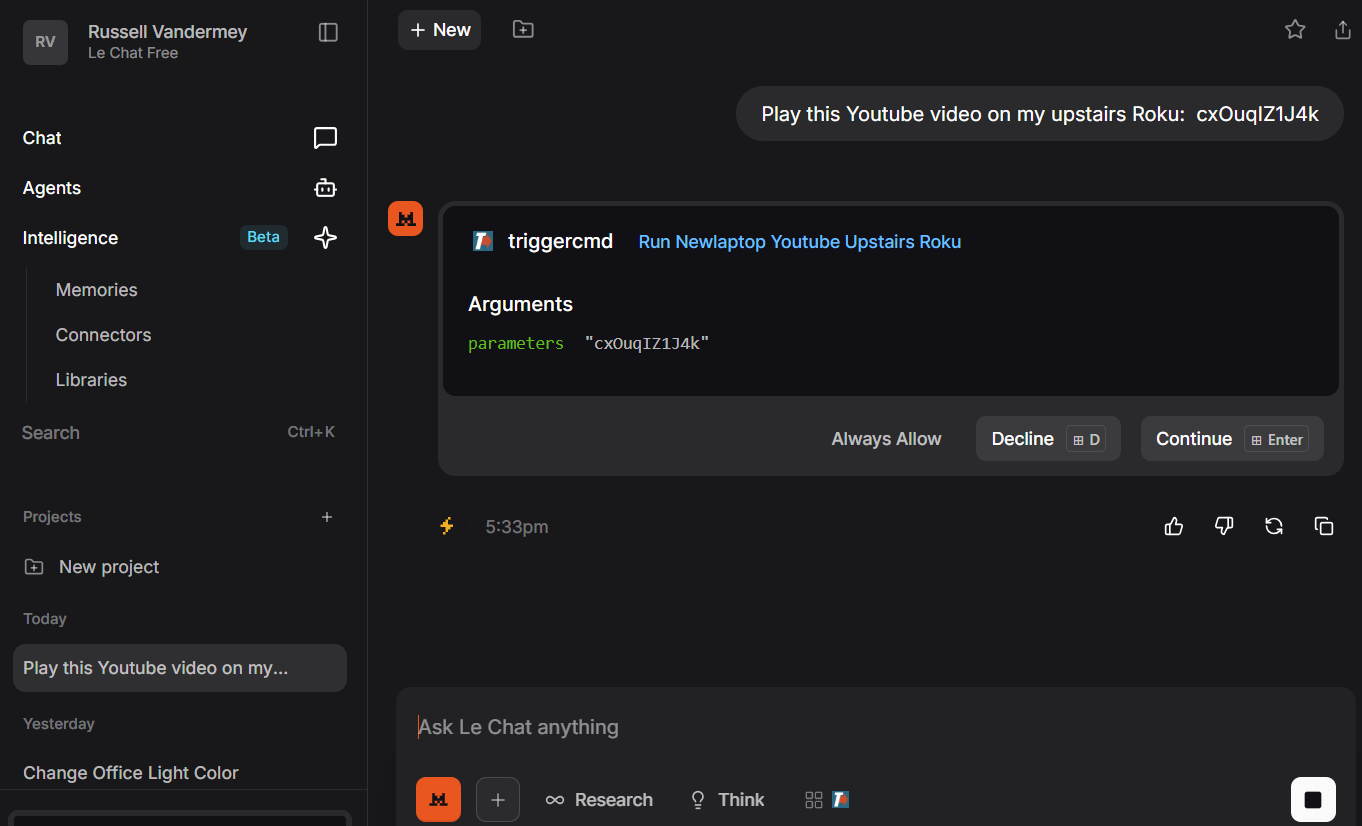
It works just like the local stdio MCP server used with local AI tools like Claude desktop. Click here for an example of that.
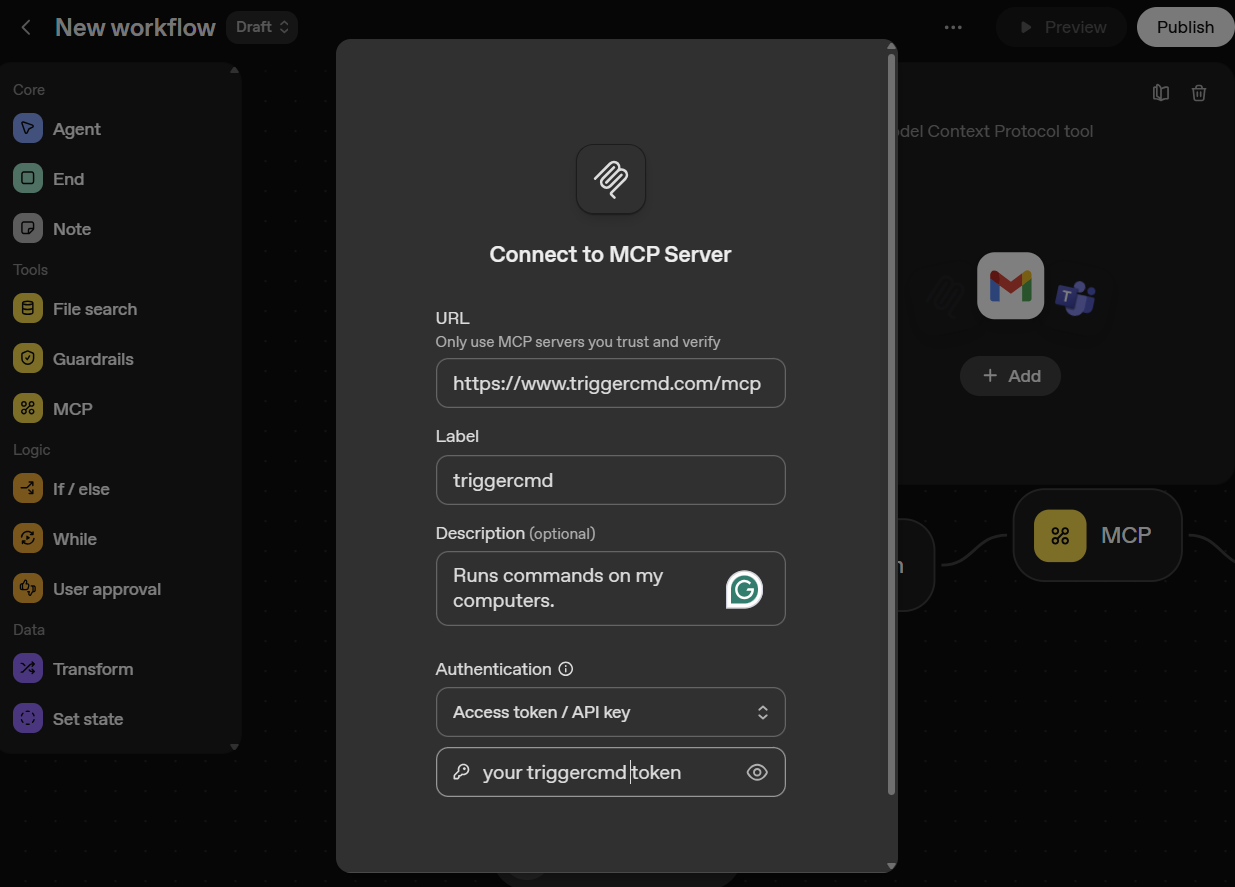
You can also use it with Open AI's agent builder tool at https://platform.openai.com/agent-builder
-
 R Russ referenced this topic on
-
R Russ referenced this topic on
-
R Russ referenced this topic on
-
R Russ referenced this topic
Hello! It looks like you're interested in this conversation, but you don't have an account yet.
Getting fed up of having to scroll through the same posts each visit? When you register for an account, you'll always come back to exactly where you were before, and choose to be notified of new replies (either via email, or push notification). You'll also be able to save bookmarks and upvote posts to show your appreciation to other community members.
With your input, this post could be even better 💗
Register Login