How to run commands from Home Assistant
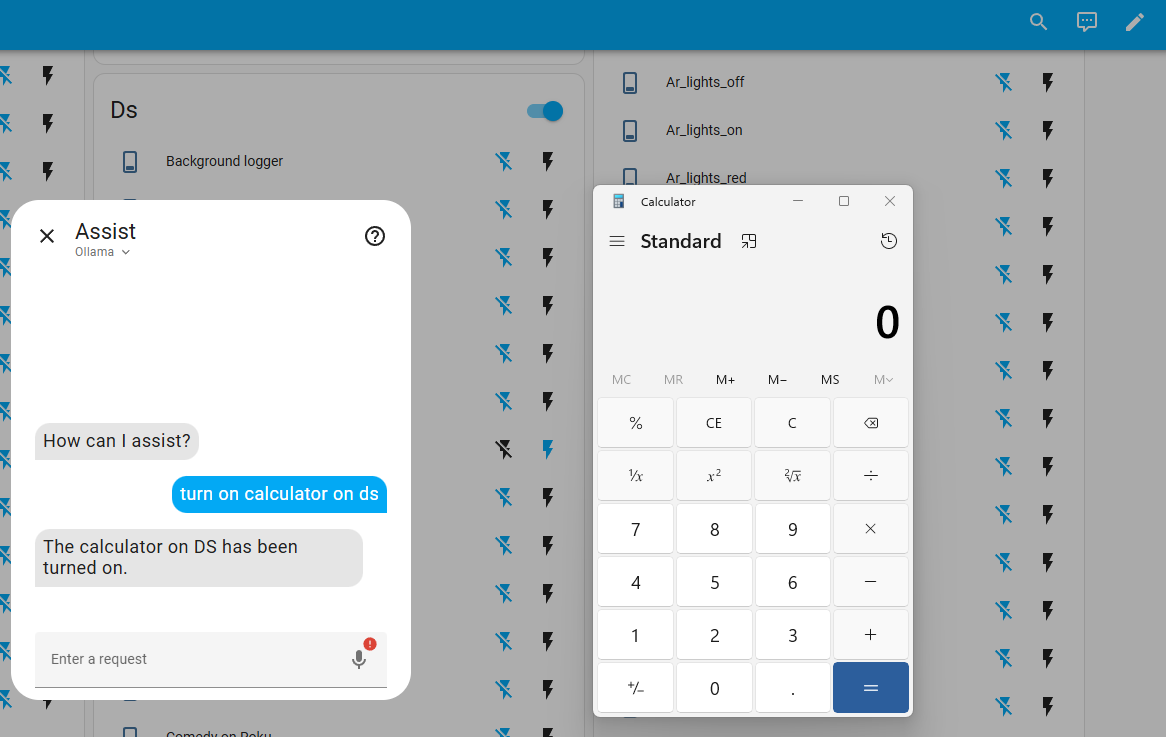
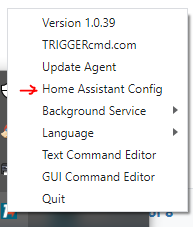
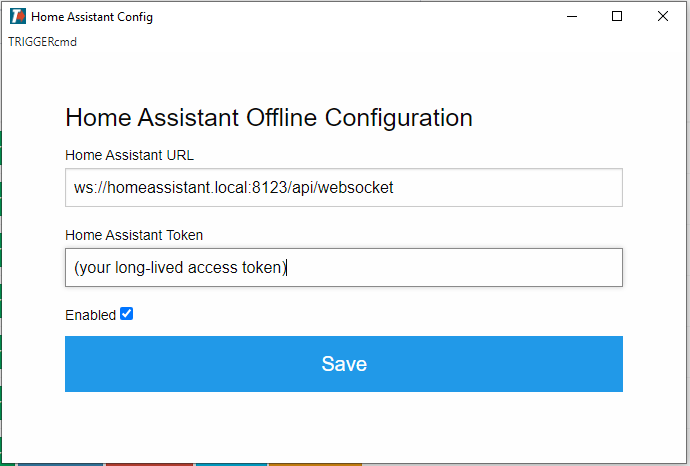
-
I can get the commands to be executed by Alexa, but when I try to make the call directly through the Home Assistant, I get the error: Status Code 400
Does the call syntax remain the same?
-
@rafastanger, that should still work, but you can also use this "get" method below. One thing to note - your trigger and computer values can be different from your voice words you'd use with Alexa.
rest_command: triggercmd_calculator: url: 'https://www.triggercmd.com/api/run/triggerSave?trigger=calculator&computer=russhp&token=(your token)' method: "get" -
Is it possible to pass arguments via this method?
-
@blizzrdof77, good question. Yes, you can add this to your URL or payload to pass parameters:
¶ms=(yourParams)
You can use a space or %20 between parameters if you have multiple parameters to pass, like this:
¶ms=(param1)%20(param2)
-
@russ Thanks for this, by the way!
For anyone else using TriggerCMD with Home Assistant, I wrote this helper
scriptwith arest_commandthat I have found very useful for running commands with parameters (or without parameters).Just be sure to change "
ADD.YOUR.TRIGGERCMD.TOKEN.HERE" to your token.The Script:
## -- RUN TRIGGERCMD REST COMMAND
script:
  run_triggercmd_rest_command:
    alias: Run TriggerCMD REST Command
    description: Execute a RESTful command with params and a device using triggercmd.
    icon: mdi:apple-keyboard-command
    variables:
      params: ''
      token: 'ADD.YOUR.TRIGGERCMD.TOKEN.HERE'
    fields:
      trigger:
        description: The name of the trigger
        example: Exit Windows Program
        required: true
      computer:
        description: The name of the computer as shown in your computer list on triggercmd.com.
        example: My Computer Name
        required: true
      params:
        description: Optional args string to pass with the trigger, using a space for multiple params [optional].
        example: ''
        required: false
    sequence:
    - service: rest_command.tcmd_run_command
      data:
        trigger: "{{ trigger }}"
        computer: "{{ computer }}"
        params: "{{ params }}"
        token: "{{ token }}"
The Rest Command
## -- RUN TRIGGERCMD COMMAND rest_command: tcmd_run_command: url: 'https://www.triggercmd.com/api/run/triggerSave' method: POST content_type: 'application/x-www-form-urlencoded' payload: 'trigger={{trigger|replace(" ","%20")}}&computer={{computer|replace(" ","-")}}¶ms=+{{params}}&token={{token}}'Example Usage
service: script.run_triggercmd_rest_command data: trigger: This Is The Trigger Name # Literally the name of the command computer: My Computer # (will render as 'My-Computer') params: '--female "Shutdown request confirmed"' # This has 3 params -
 R Russ referenced this topic on
-
R Russ referenced this topic on
-
@blizzrdof77 @Russ I am new to HA and trying to get this working but not sure if my issue is related to possible syntax changes since 2021. Does this format still apply? Thanks.
-
@AZRushFan, yes, I just tried it. It worked for me with this text at the end of my configuration.yaml:
rest_command:
  triggercmd_calculator:
    url: 'https://www.triggercmd.com/api/run/triggerSave'
    method: "post"
    content_type: "application/x-www-form-urlencoded"
    payload: "trigger=calculator&computer=russfam&token=(my token)"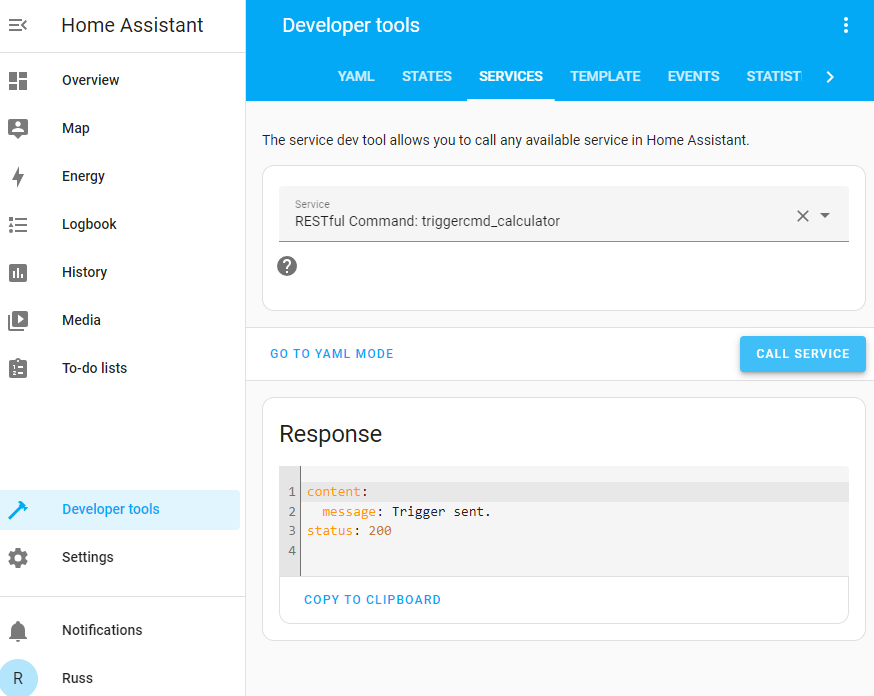
That said, would it help if I built an official Home Assistant integration?
EDIT 9/15/24: The official TRIGGERcmd integration will be available in next Home Assistant version (2024.10). It's due to be released on 10/2/2024. Please try using it instead of the "RESTful Command" method described above.
-
R Russ referenced this topic on
-
R Russ referenced this topic on
-
R Russ moved this topic from Instructions on
-
R Russ pinned this topic on
-
R Russ referenced this topic on
-
@Russ I am testing out the HA integration for TRIGGERcmd and curious on the best practice when using the switch functionality when triggering a script. In my instance it is a single instance AutoHotkey script so by definition there is no "off"; however, it doesn't trigger the next time I try to run it as the switch is still in the on position in HA. What do you suggest? Thank you.
-
@AZRushFan, in my experience I've been able to trigger the ON switch many times in a row even though the HA virtual switch status is ON. Are you saying you can't trigger the ON command if the switch is already ON?
-
@Russ well as you mentioned it does indeed. I think I had another issue that was preventing the trigger in HA. Thank you.
-
R Russ referenced this topic on
-
Hello guys,
Does Home Assistant integration run commands locally?
Is it still limited to 1 command per minute in the free tier?Thanks
-
@rdaraujo, yes, it runs the commands locally without the 1 command per minute limit even if you're not subscribed.
-
@Russ, thank you for HA integration, would be really great if it also showed "offline" PC's entities as "unavailable".
It would be also very helpful for automations.
-
@Andru, thanks for the idea. I'll look into it.


Hello! It looks like you're interested in this conversation, but you don't have an account yet.
Getting fed up of having to scroll through the same posts each visit? When you register for an account, you'll always come back to exactly where you were before, and choose to be notified of new replies (either via email, or push notification). You'll also be able to save bookmarks and upvote posts to show your appreciation to other community members.
With your input, this post could be even better 💗
Register Login