TRIGGERcmd
    • Categories
    • Recent
    • Tags
    • Popular
    • Users
    • Groups
    • Search
    • Register
    • Login

    how to execute .sh in disc d

    Scheduled Pinned Locked Moved General Discussion
    10 Posts 2 Posters 1.7k Views 1 Watching
    Loading More Posts
    • Oldest to Newest
    • Newest to Oldest
    • Most Votes
    Reply
    • Reply as topic
    Log in to reply
    This topic has been deleted. Only users with topic management privileges can see it.
    • Luisito PalmaL Offline
      Luisito Palma
      last edited by

      hi, create a program in python that runs with the following bash, the bash is located in the same path of the project.
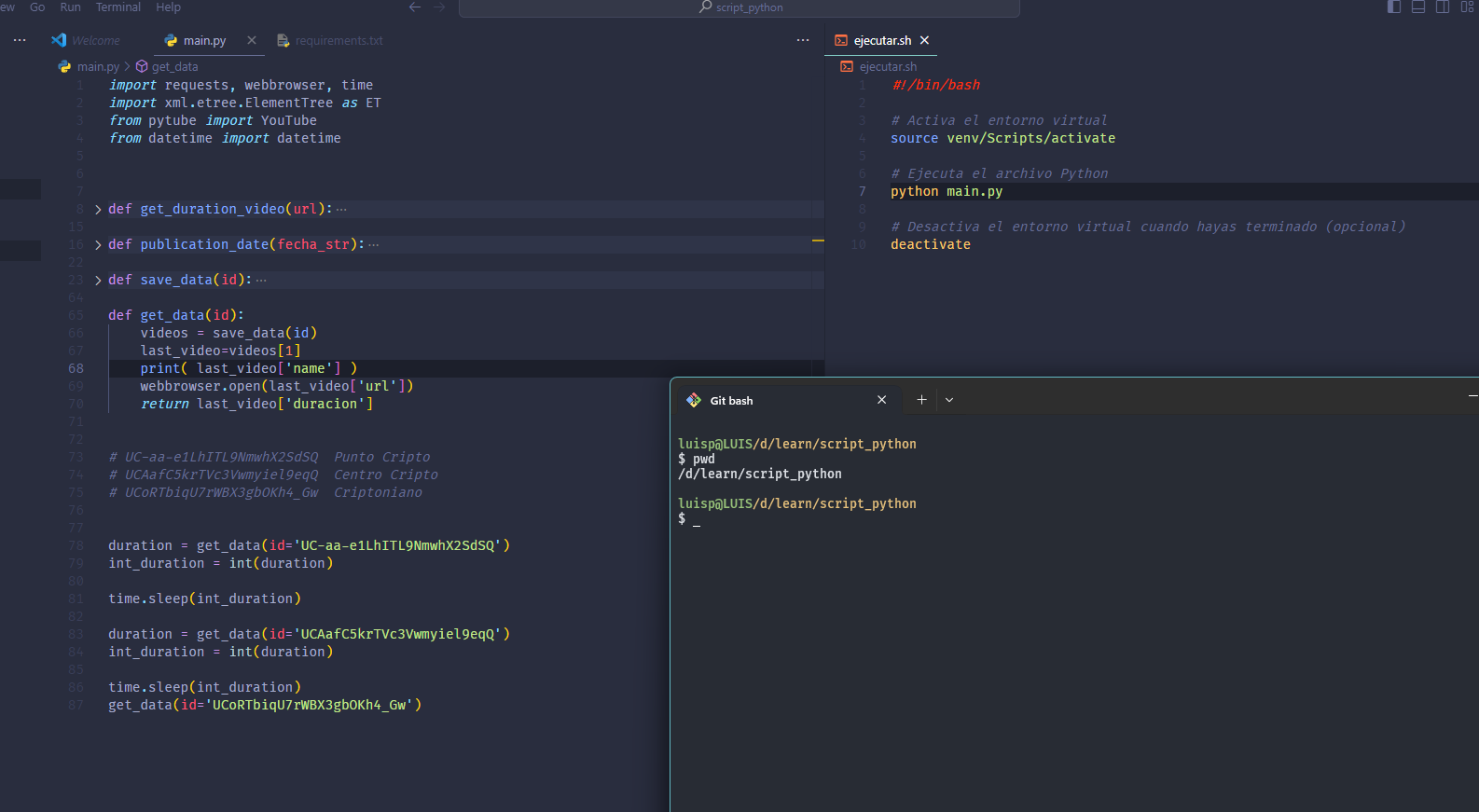
      3847ef0b-db49-4043-8737-f3b5de51cd15-image.png

      What parameters would I put in the cmd trigger to execute the .sh?
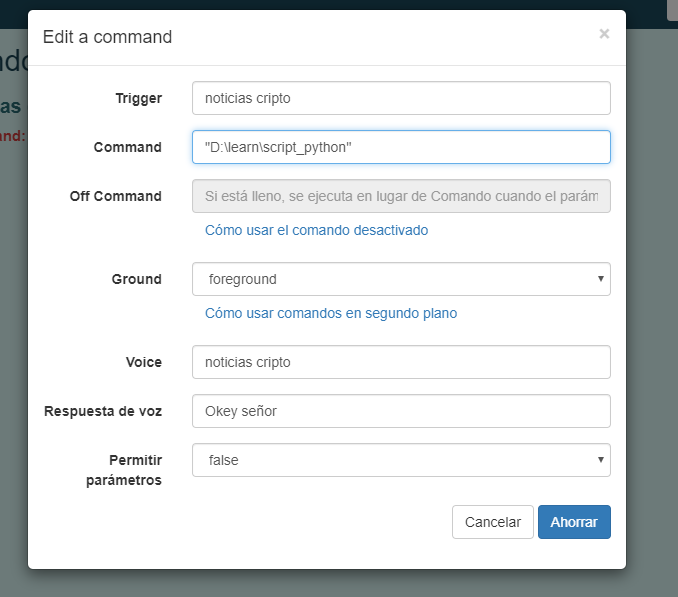
      b5e7d8bf-f3d3-4f6f-acc2-f14ab233bbb6-image.png

      RussR 1 Reply Last reply Reply Quote 0
      • RussR Offline
        Russ @Luisito Palma
        last edited by

        @Luisito-Palma, I see you're trying to run a shell script using Git bash.

        Please try this as your command:

        "c:\Program Files\Git\git-bash.exe" -c /d/learn/script_python/ejecutar.sh
        

        Russell VanderMey

        Luisito PalmaL 2 Replies Last reply Reply Quote 0
        • Luisito PalmaL Offline
          Luisito Palma @Russ
          last edited by

          @Russ When I run in, the terminal opens and closes automatically without executing the script.

          1 Reply Last reply Reply Quote 0
          • Luisito PalmaL Offline
            Luisito Palma @Russ
            last edited by

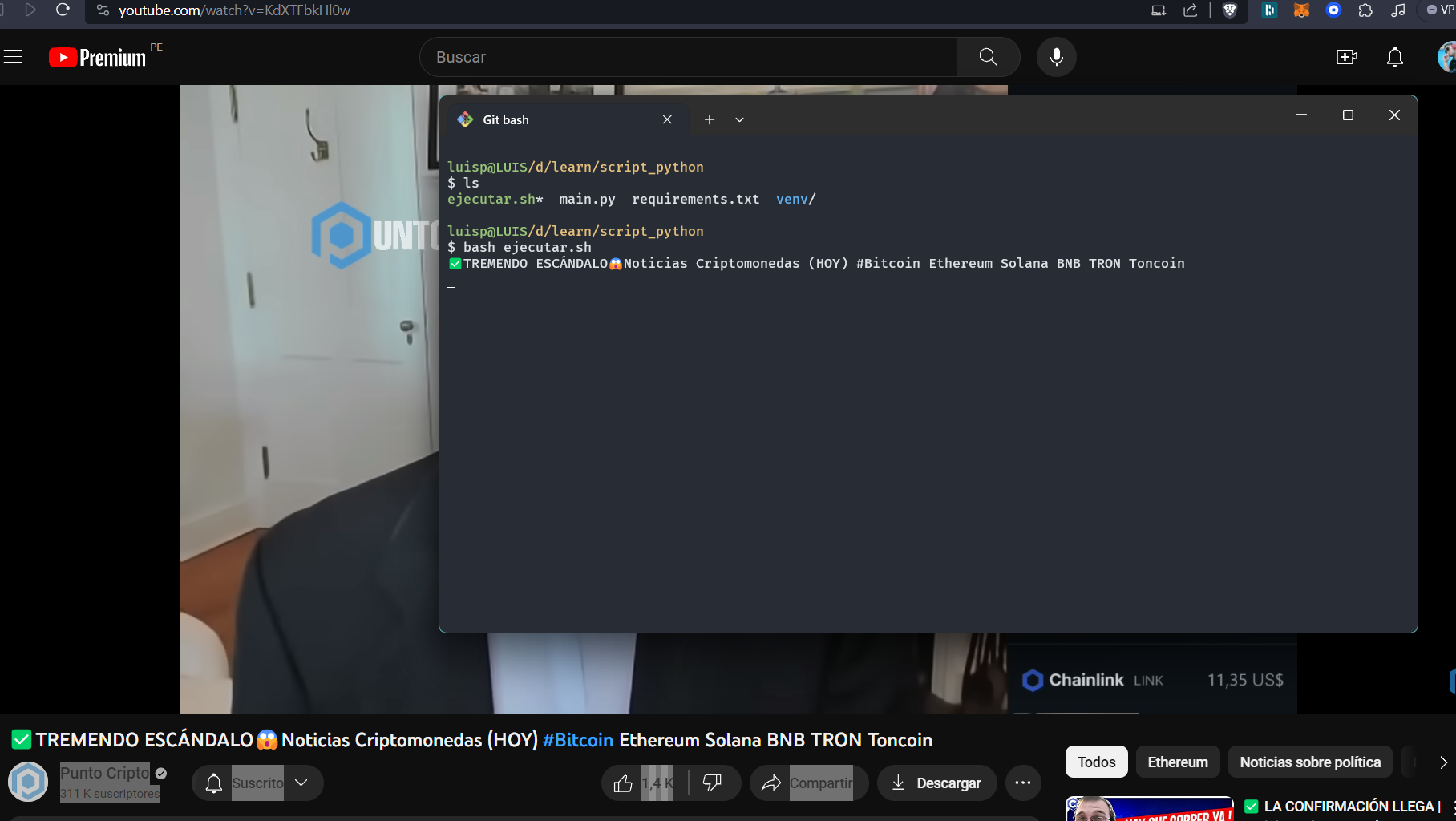
            @Russ when I run the script from terminal it works normally
            ff48f534-0465-4031-a4c2-d2fb6ef831af-image.png

            RussR 1 Reply Last reply Reply Quote 0
            • RussR Offline
              Russ @Luisito Palma
              last edited by Russ

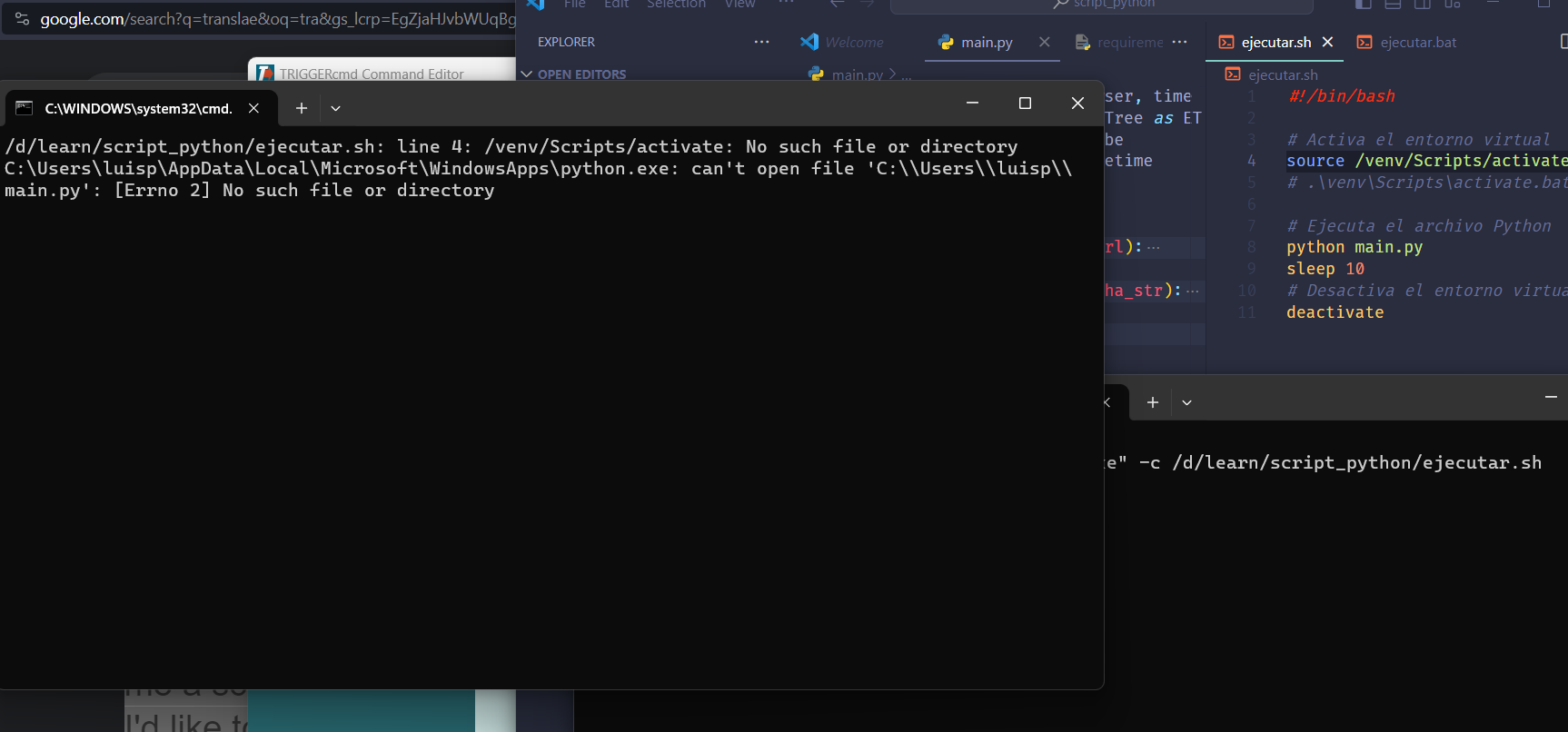
              @Luisito-Palma, please try running this command from a Windows cmd window and send me a screenshot. I'd like to see the error it gives, if any.

              "c:\Program Files\Git\git-bash.exe" -c /d/learn/script_python/ejecutar.sh
              

              That command is working for me - it's running my bash script.

              Russell VanderMey

              Luisito PalmaL 2 Replies Last reply Reply Quote 1
              • Luisito PalmaL Offline
                Luisito Palma @Russ
                last edited by

                @Russ
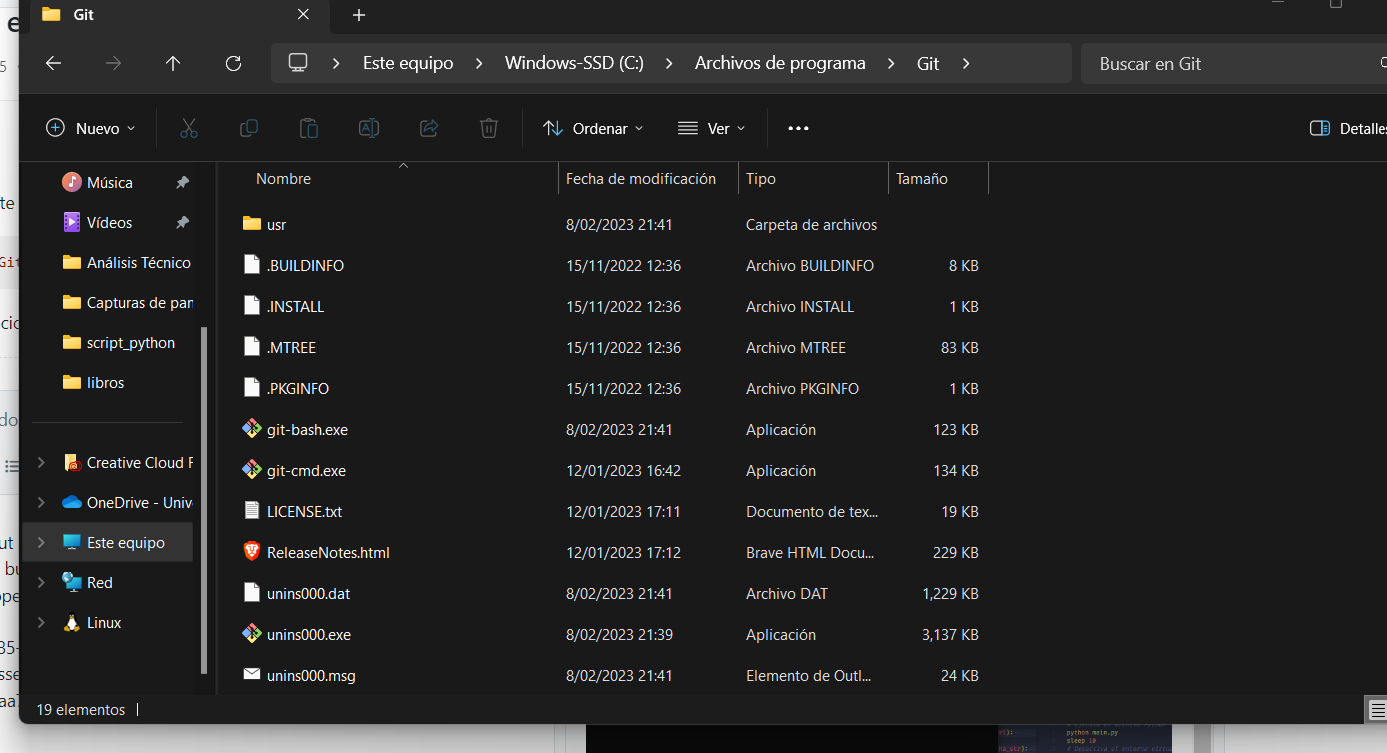
                I had to put a sleep because the terminal closes automatically when it shows that error, but when I execute the command that you told me, that Windows terminal opens and not the gitbash
                2b5b7785-4a26-48a4-8764-13a95275aa7e-image.png

                However, the git bash path is correct

                2e02396d-f617-4c73-a6ce-7fcc86ed24e9-image.png

                1 Reply Last reply Reply Quote 0
                • Luisito PalmaL Offline
                  Luisito Palma @Russ
                  last edited by

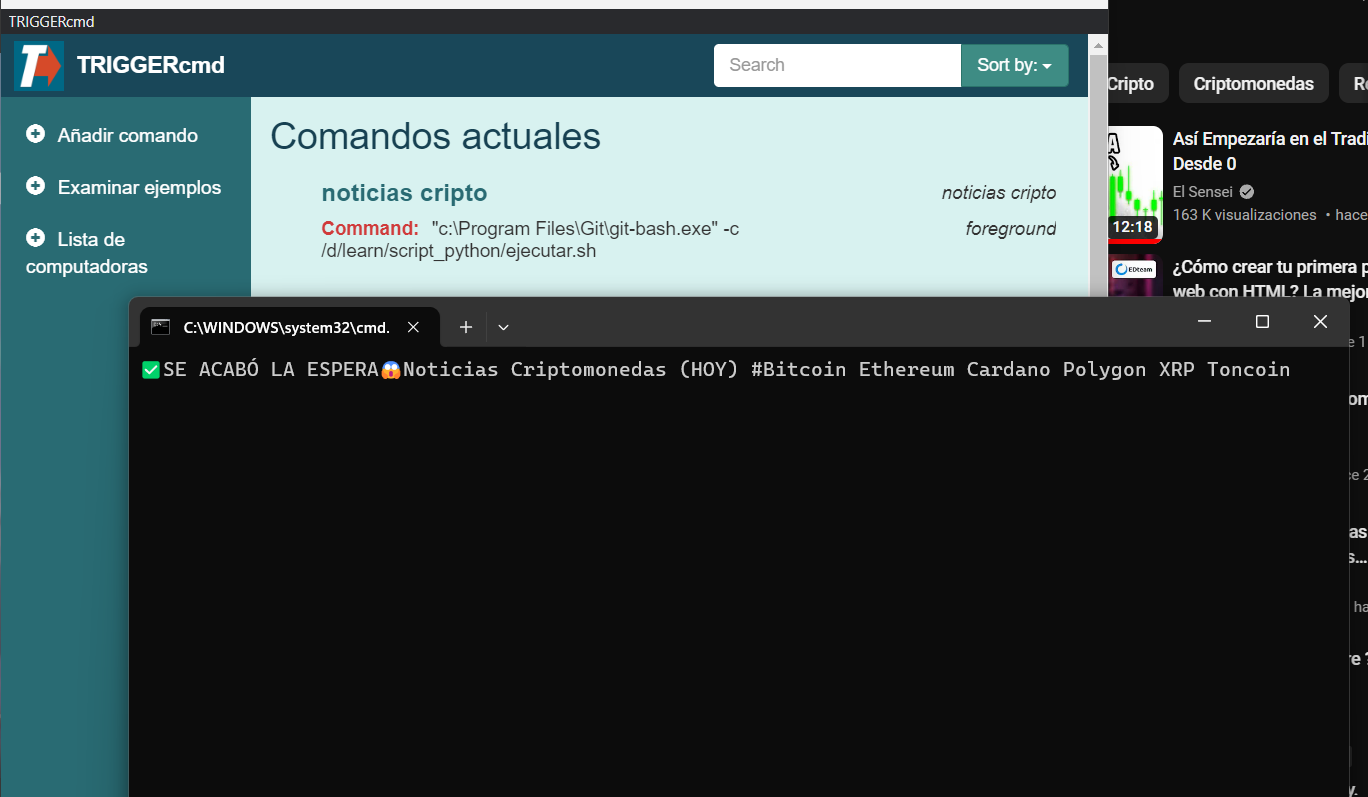
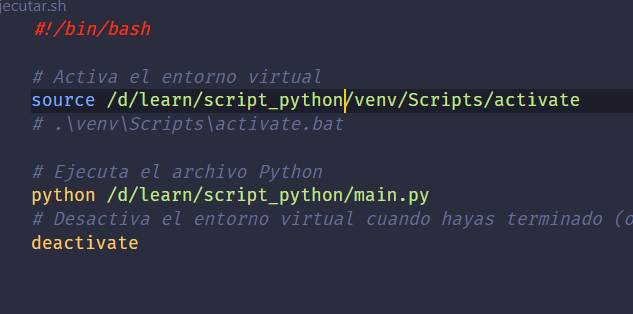
                  @Russ The solution was to put the full path of where the .sh file is located and the script now works, however it continues to be executed in a cmd and not in git bash
                  ae4af929-c6f2-45b6-aa3a-751899842155-image.png
                  cacd2de9-508c-43ab-8dba-883a1aee4c4e-image.png

                  RussR 1 Reply Last reply Reply Quote 1
                  • RussR Offline
                    Russ @Luisito Palma
                    last edited by

                    @Luisito-Palma, nice job. I'm glad you got it figured out.

                    I think it must be running the bash script in git-bash even though the window shows cmd because you can see the output of the python script your bash script is running.

                    Russell VanderMey

                    Luisito PalmaL 1 Reply Last reply Reply Quote 0
                    • Luisito PalmaL Offline
                      Luisito Palma @Russ
                      last edited by

                      @Russ Yes I think the same, but "if it works it's better not to touch it" hahaha, it's a bug that my future self will see how to solve, thank you very much for the help

                      RussR 1 Reply Last reply Reply Quote 0
                      • RussR Offline
                        Russ @Luisito Palma
                        last edited by

                        @Luisito-Palma, makes sense. You're welcome. Your project looks interesting.

                        Russell VanderMey

                        1 Reply Last reply Reply Quote 0

                        Hello! It looks like you're interested in this conversation, but you don't have an account yet.

                        Getting fed up of having to scroll through the same posts each visit? When you register for an account, you'll always come back to exactly where you were before, and choose to be notified of new replies (either via email, or push notification). You'll also be able to save bookmarks and upvote posts to show your appreciation to other community members.

                        With your input, this post could be even better 💗

                        Register Login
                        • First post
                          Last post