Monitor control command issue
-
Hello, Russ.
I have been setup my business and now I am trying to control each monitors.
Each bay has each monitor with a projector.I input a command as you wrote it down for me.
However the commnd doesn't work.
Would you please look it what was wrong and correct for me?Thank you.
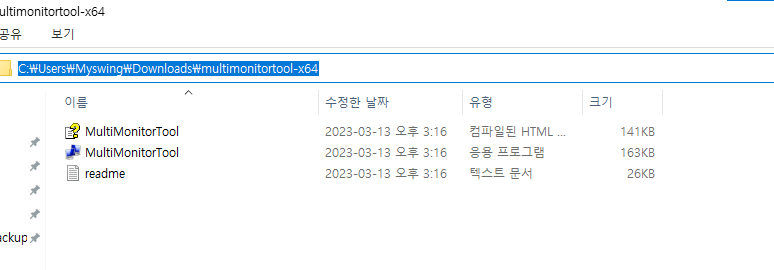
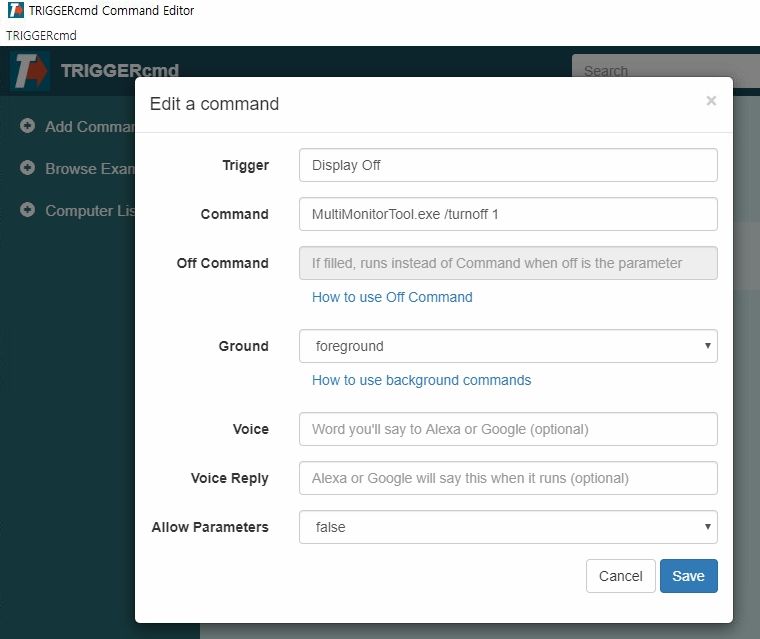
-
@h6477801471, that command looks correct, but can you confirm the MultiMonitorTool.exe tool is in a folder that's referenced by your PATH environment variable?
If you're not familiar with how that works, please check out this video.
I just tried this command and it worked for me because I put MultiMonitorTool.exe in my d:\tools folder and that folder is in my PATH.
MultiMonitorTool.exe /TurnOff 2You could also consider using this command, but again, you'll need to put nircmd.exe in a folder in your PATH.
nircmd monitor offI created this video on how to do that.
https://youtu.be/xub4pjenLVs?si=xBsYZtJwXg_V8qTn&t=40 -
 R Russ referenced this topic on
-
R Russ referenced this topic on
-
Thank you so much.
But it still doesnt work.I created "tools" folder at D drive and moved software but no response at all.
I run an indoor Golf simulator business, and I was hoping to turn off the monitor when the reservation time ran out because people didn't stop using it. However, I can do so if I have various ideas such as turning the projector on and off or lock the screen.
May I ask if you have any good ideas with using triggercmd? -
@h6477801471, ok, if you put MultiMonitorTool.exe in d:\tools, then make your command this:
d:\tools\MultiMonitorTool.exe /TurnOff 1Or you could do this so you can say, Alexa, turn monitor off, and Alexa, turn monitor on.
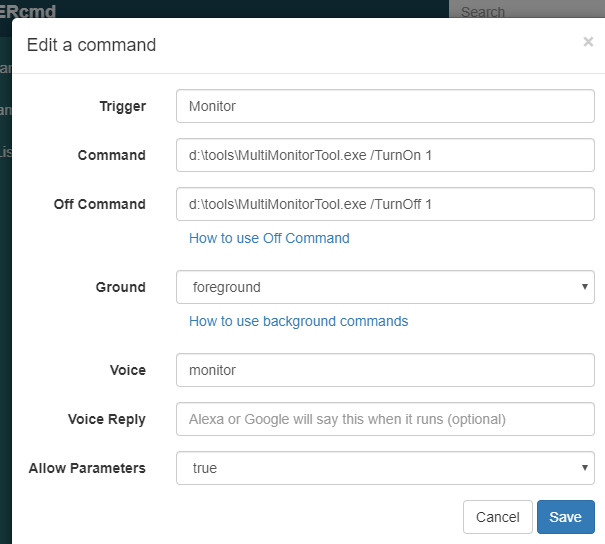
If you specify the path (d:\tools) to the .exe file in your command you don't have to put d:\tools in your PATH variable.
If you want, you could turn the projector on and off with a smart plug instead. You'd create 2 commands, and associate each one with an Alexa routine that flips the smart switch off and on. The problem is I don't think you're supposed to abruptly turn projectors off because the fan needs to run to cool the bulb down. I'm not sure though if that's still a concern these days.
I made a video about how to run Alexa routines when you trigger your commands here:
https://www.youtube.com/watch?v=nrqj-OwDpGEAlso I forgot to ask, does it work if you run the command manually from a cmd window?

Hello! It looks like you're interested in this conversation, but you don't have an account yet.
Getting fed up of having to scroll through the same posts each visit? When you register for an account, you'll always come back to exactly where you were before, and choose to be notified of new replies (either via email, or push notification). You'll also be able to save bookmarks and upvote posts to show your appreciation to other community members.
With your input, this post could be even better 💗
Register Login