Login Token is not working in MacBook Pro (Monterey)
-
I've tried several times to add the token and click in the button, but the screen always goes back to login, without showing any error. The token is correct and I guarantee that I know how to copy and paste a text in the correct field. I believe it's a bug, is there anything I can do?
-
I see you already have a computer in your account called "Leia" and you're not subscribed. You can only have one computer if you're not subscribed, so you'd have to delete that "Leia" computer first.
If that is the problem, the agent's token prompt should switch to saying "You must subscribe before adding another computer."
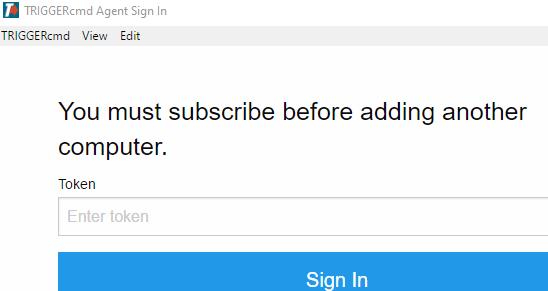
Also fyi, I tested the TRIGGERcmd agent on Mac OS 2.5.1 (Monterey) and it worked for me.
-
@Russ Now that I saw that I had problems with my subscription payment. Thanks for the help!
-
@Borbo-Letu, you're welcome. If you're still having problems, let me know if I can help.

Hello! It looks like you're interested in this conversation, but you don't have an account yet.
Getting fed up of having to scroll through the same posts each visit? When you register for an account, you'll always come back to exactly where you were before, and choose to be notified of new replies (either via email, or push notification). You'll also be able to save bookmarks and upvote posts to show your appreciation to other community members.
With your input, this post could be even better 💗
Register Login