Google assistant say the Raspberry Pi temperature
-
I put my Rasberry Pi in a handmade box and I am concerned about it's temperature. So I created this trigger to be able to check the Pi temperature using google assistant.
{"trigger":"Pi temperature","command":"python3 /home/pi/temperature.py","ground":"background","voice":"system temperature","voiceReply":"The pi temperature is {{result}} degrees","allowParams": "false"}The Python3 script
#!/usr/bin/env python3 import subprocess import os reply = str(subprocess.check_output(['vcgencmd', 'measure_temp'])) result = reply[reply.find('=') + 1: reply.find('C')- 1] os.system('~/.TRIGGERcmdData/sendresult.sh ' + result) -
@hm123, that is awesome. Thanks for sharing it.
-
@hm123, I love this idea!
I have a pi zero with extra USB hat mounted inside a X10 CM15 controller.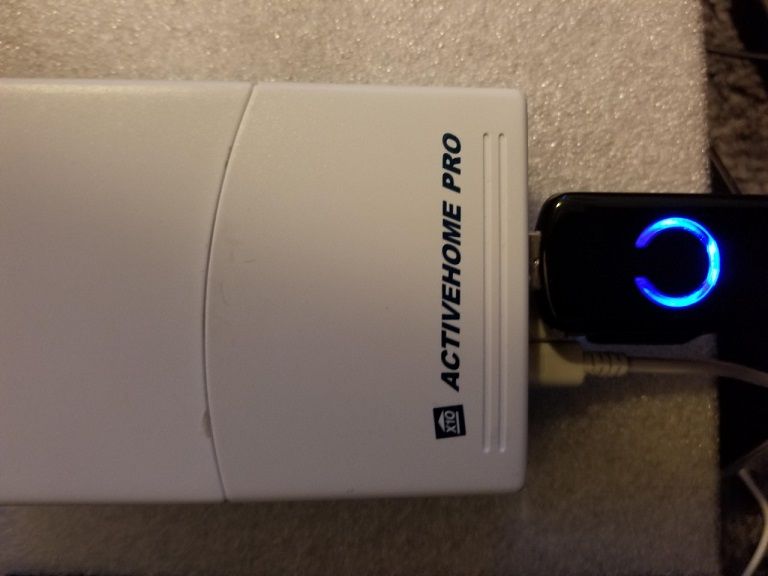
I have a script to display several system stats (including CPU temperature) in my HomeGenie server.
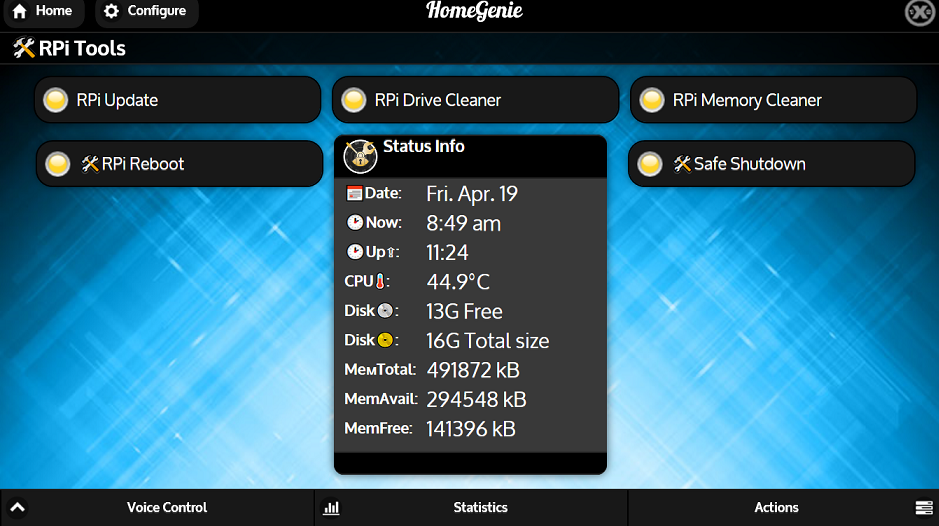
Although this has been running fine, monitoring temperature for this PI via voice would be a welcome addition.I'm having a problem testing this and that may be due to the fact that I've not subscribed yet. perhaps @Russ could confirm.
I don't get a reply back from my Google mini so I assume it counts as two calls in under a min.
Would this work with Alexa as well? -
I think figured it out was trying with the smarthome skill verses Trigger command. Glad it works with Alexa too. To bad all TRIGGERcmd actions couldn't all be combined into 1 skill.
-
 T tuicemen referenced this topic on
-
T tuicemen referenced this topic on
-
T tuicemen referenced this topic on
-
@tuicemen, I agree. The TRIGGERcmd Smart Home skill recognizes your words the best, but it doesn't have this feature to have your Alexa say things that your command outputs.
Your question gave me an idea of how I might be able to make that work though. I'm thinking I could do something similar to what Voice Monkey did.
In the meantime you could use Voice Monkey. You can call their API with a curl command and provide what you want your Alexa to say, like this:
curl "https://api.voicemonkey.io/trigger?access_token=(voice_monkey_token)&monkey=(your_monkey_name)&announcement=The temp is 60 degrees" -
@russ thanks for that suggestion though I may wait to see what you come up with.
The TRIGGERcmd Command does work, even if a bit clunky but maybe I'm just not using it correctly.
In any case I don't plan to use this temperature call often as I do have the read out in HomeGenie.

Hello! It looks like you're interested in this conversation, but you don't have an account yet.
Getting fed up of having to scroll through the same posts each visit? When you register for an account, you'll always come back to exactly where you were before, and choose to be notified of new replies (either via email, or push notification). You'll also be able to save bookmarks and upvote posts to show your appreciation to other community members.
With your input, this post could be even better 💗
Register Login