Batch file issues
-
Hi
I am new to Triggercmd, I have created a few triggers, notepad,calc etc and to a specific exe without issue. I have a backup batch file that will not trigger in fact i cannot get any bat file to trigger.Many thanks in anticipation
Andrew
-
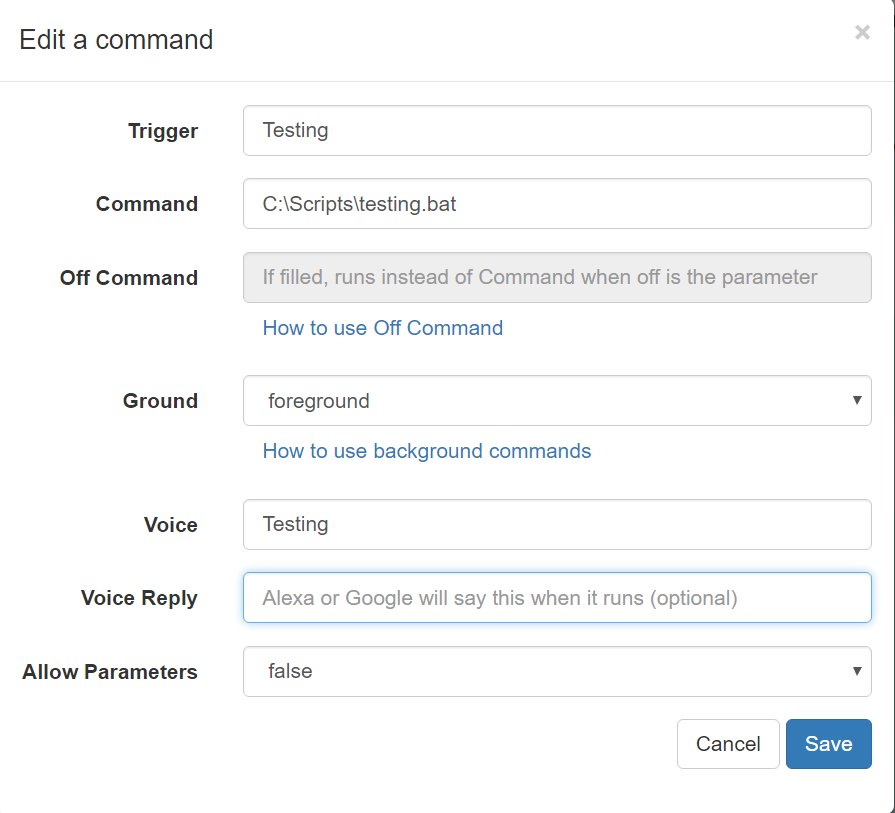
@Andrew, please post your command and the batch file. Maybe you're not specifying the full path to the .bat file, or maybe the .bat is running but there's a path problem preventing the commands in the .bat file from running.
-
Hi Russ
Many thanks for your prompt reply.
I have attached 2 screen shots one of the command and the second of the contents of my batch file.
If I place a .txt file in the folder containing the batch file and change the command it opens, so I am presuming the path is correctRegards
Andrew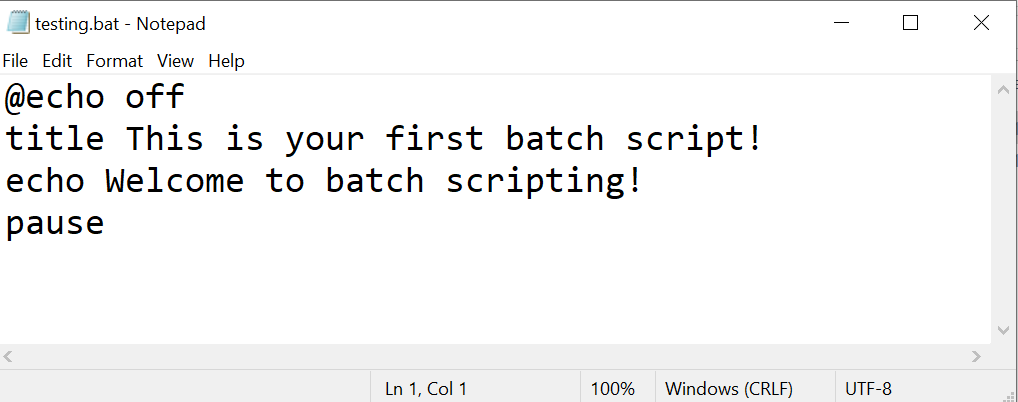
-
@Andrew, I saw the same thing. I ran that batch file via TRIGGERcmd - nothing seemed to happen, but something did happen. You have a pause at the end, so it stayed running behind the scenes. I found mine in Task Manager when I showed the "Command line" column.

Try adding something to your batch file that you could actually see, like this:
@echo off
title This is your first batch script!
echo Welcome to batch scripting!
calc


Hello! It looks like you're interested in this conversation, but you don't have an account yet.
Getting fed up of having to scroll through the same posts each visit? When you register for an account, you'll always come back to exactly where you were before, and choose to be notified of new replies (either via email, or push notification). You'll also be able to save bookmarks and upvote posts to show your appreciation to other community members.
With your input, this post could be even better 💗
Register Login