TRIGGERcmd
    • Categories
    • Recent
    • Tags
    • Popular
    • Users
    • Groups
    • Search
    • Register
    • Login

    How do I mute Realtek speakers on my Windows computer?

    Scheduled Pinned Locked Moved General Discussion
    6 Posts 3 Posters 1.6k Views 1 Watching
    Loading More Posts
    • Oldest to Newest
    • Newest to Oldest
    • Most Votes
    Reply
    • Reply as topic
    Log in to reply
    This topic has been deleted. Only users with topic management privileges can see it.
    • D Offline
      D0llyy
      last edited by

      What is the command to mute Realtek speakers on my Windows computer?

      RussR D 2 Replies Last reply Reply Quote 0
      • RussR Offline
        Russ @D0llyy
        last edited by

        @D0llyy, if you want to mute your speakers on a Windows box, you could use nircmd like this:

        nircmd mutesysvolume 1
        

        https://nircmd.nirsoft.net/mutesysvolume.html

        Russell VanderMey

        D 1 Reply Last reply Reply Quote 0
        • D Offline
          D0llyy @D0llyy
          last edited by

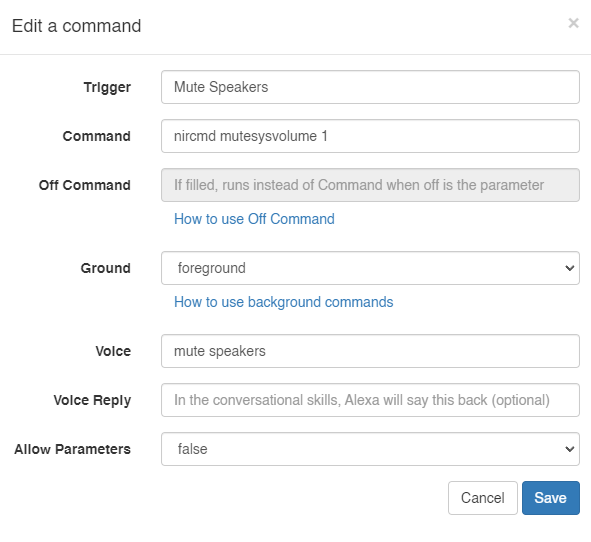
          @D0llyy I tried it and it didn't work. Here is a screenshot.
          Screenshot 2024-08-04 211529.png

          1 Reply Last reply Reply Quote 0
          • D Offline
            D0llyy @Russ
            last edited by

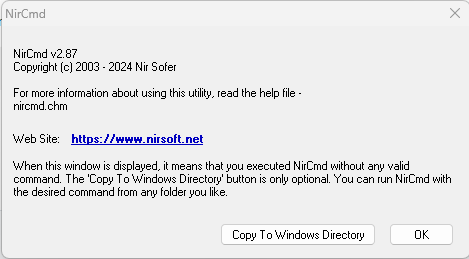
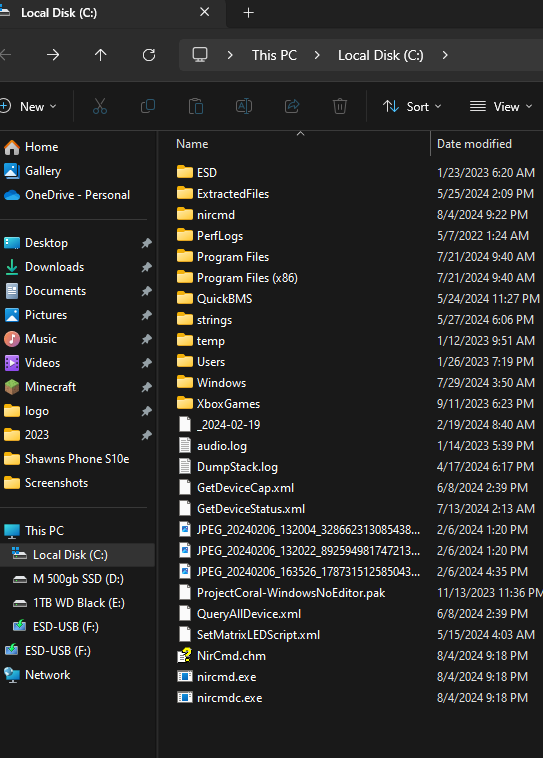
            @Russ I copied the nircmdc.exe, nircmd.exe, and NirCmd.chm to the Local Disk (C:) Then I lunched the Command Prompt when I typed the >nircmd in the command this message pops:
            Screenshot 2024-08-04 213919.png

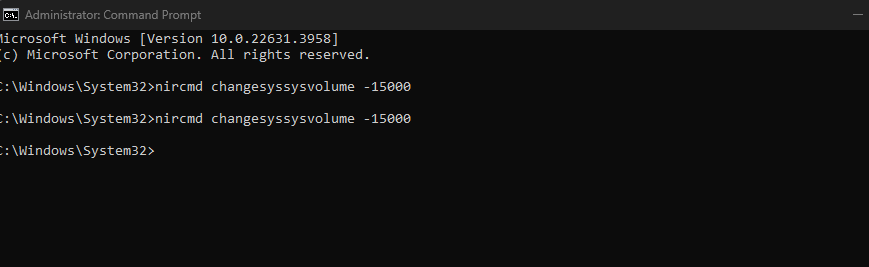
            and then when I tested the command using >nircmd changesyssysvolume -15000 it didn't work and that message kept showing and I keep clicking okay
            Screenshot 2024-08-04 214116.png
            Screenshot 2024-08-04 214153.png

            RussR 1 Reply Last reply Reply Quote 0
            • RussR Offline
              Russ @D0llyy
              last edited by

              @D0llyy, I see the problem. Your command is wrong. It should be this:

              nircmd changesysvolume -15000
              

              Your command has a double sys in changesyssysvolume.

              Russell VanderMey

              1 Reply Last reply Reply Quote 0
              • A Offline
                Ancar
                last edited by

                Go into Sound settings, find your Realtek device, and disable it there if you don’t want it to play anything at all.

                1 Reply Last reply Reply Quote 0

                Hello! It looks like you're interested in this conversation, but you don't have an account yet.

                Getting fed up of having to scroll through the same posts each visit? When you register for an account, you'll always come back to exactly where you were before, and choose to be notified of new replies (either via email, or push notification). You'll also be able to save bookmarks and upvote posts to show your appreciation to other community members.

                With your input, this post could be even better 💗

                Register Login
                • First post
                  Last post