Macro to open triggercmd gui
-
I creat a macro to open triggercmd GUI, is this: ; This script was created using Pulover's Macro Creator
; www.macrocreator.com#NoEnv
SetWorkingDir %A_ScriptDir%
CoordMode, Mouse, Window
SendMode Input
#SingleInstance Force
SetTitleMatchMode 2
#WinActivateForce
SetControlDelay 1
SetWinDelay 0
SetKeyDelay -1
SetMouseDelay -1
SetBatchLines -1
#PersistentMacro1:
Send, {LWin Down}
Sleep, 25
Send, {b Down}
Sleep, 25
Send, {b Up}
Sleep, 1
Send, {LWin Up}
Sleep, 1
Send, {Enter Down}
Sleep, 25
Send, {Enter Up}
Sleep, 1
Sleep, 250
Loop
{
CoordMode, Pixel, Window
PixelSearch, FoundX, FoundY, -49, -171, 346, 321, 0xD5492A, 0, Fast RGB
If ErrorLevel = 0
Click, %FoundX%, %FoundY% Right, 1
Sleep, 150
}
Until ErrorLevel = 0
Loop
{
CoordMode, Pixel, Screen
ImageSearch, FoundX, FoundY, 1929, 526, 2559, 1079, C:\Users\Mauro\AppData\Roaming\MacroCreator\Screenshots\Screen_20231010142942.png
CenterImgSrchCoords("C:\Users\Mauro\AppData\Roaming\MacroCreator\Screenshots\Screen_20231010142942.png", FoundX, FoundY)
If ErrorLevel = 0
Click, %FoundX%, %FoundY% Left, 1
Sleep, 250
}
Until ErrorLevel = 0
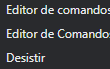
WinActivate, TRIGGERcmd Command Editor
Sleep, 333
ReturnCenterImgSrchCoords(File, ByRef CoordX, ByRef CoordY)
{
static LoadedPic
LastEL := ErrorLevelGui, Pict:Add, Pic, vLoadedPic, % RegExReplace(File, "^(\*\w+\s)+") GuiControlGet, LoadedPic, Pict:Pos Gui, Pict:Destroy CoordX += LoadedPicW // 2 CoordY += LoadedPicH // 2 ErrorLevel := LastEL}
ExitApp



-
 R Russ referenced this topic on

Hello! It looks like you're interested in this conversation, but you don't have an account yet.
Getting fed up of having to scroll through the same posts each visit? When you register for an account, you'll always come back to exactly where you were before, and choose to be notified of new replies (either via email, or push notification). You'll also be able to save bookmarks and upvote posts to show your appreciation to other community members.
With your input, this post could be even better 💗
Register Login