Add custom commands or scripts in linux
-
Hi there!
How can you add a new custom commands o scritps in a linux server?
And how can you add this skills in triggercmd page, for example to say:
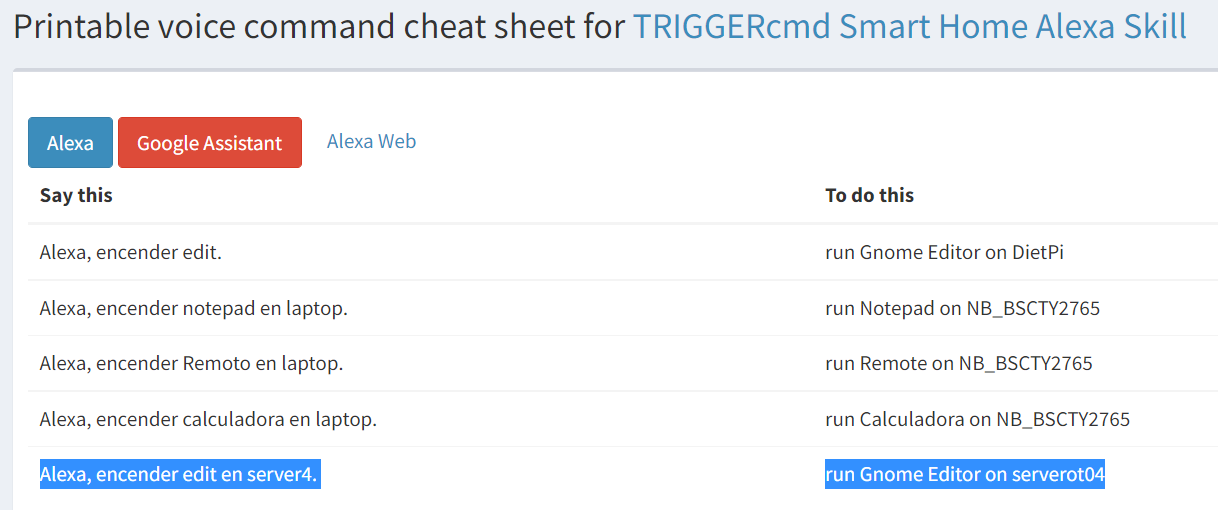
-
@j0semm, you can edit your ~/.TRIGGERcmdData/commands.json file to add commands.
To enable the TRIGGERcmd Smart Home Alexa Skill, you can click the link on the page you took a screenshot of, then enable it from the page that link goes to.
-
@russ Thank you for your answer, I understand that you can add new commands, but when I try every command individually, always it acts as only one and I can see that is this case (view image)
for example, I have 4 commands

But when I try for each one, only works next

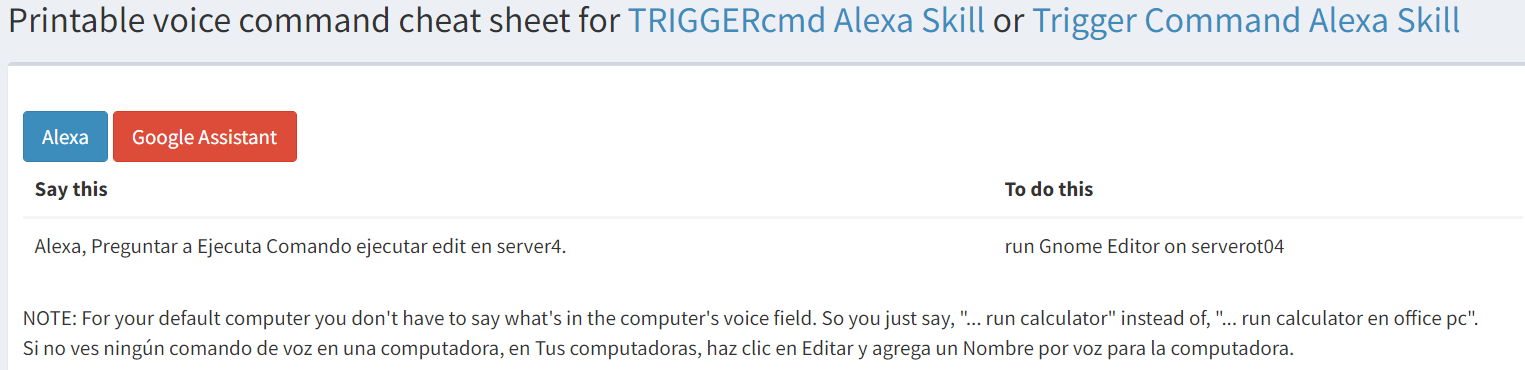
It only has one
I did not find where to add a new Printable voice command to my server4
-
@j0semm, I see those are all background commands, which will only be added if you're running the agent in background mode, which happens when you install the background service with a command like this:
sudo sh /usr/lib/triggercmdagent/resources/app/src/installdaemon.shThat will install it as a linux service you can view with a command like this:
systemctl status triggercmdagentThe Gnome Editor command probably got added when you ran the agent the first time. You run it in foreground mode the first time to install the token. That Gnome Editor command is a foreground command in the default commands.json file.
-
This post is deleted!

Hello! It looks like you're interested in this conversation, but you don't have an account yet.
Getting fed up of having to scroll through the same posts each visit? When you register for an account, you'll always come back to exactly where you were before, and choose to be notified of new replies (either via email, or push notification). You'll also be able to save bookmarks and upvote posts to show your appreciation to other community members.
With your input, this post could be even better 💗
Register Login