Echo show cards
-
On echo show and google display screens can we display text and buttons?
-
For example when I say :
Echo open triggercmd.Echo show screen displays:
Say something like run calculator on officepcLaunched
Can I control this display to display something else
-
@legtod2, not yet but I could build something. Please explain what you'd like to do using the screen. I've thought about giving the ability to use panels from the screen.
-
@russ
I would like for the echo show screen to remind the user to give my own examples of trigger cmds -
@legtod2, I think I understand. So when you say, "Alexa, ask TRIGGERcmd to run calculator" it will run calculator, and also on the screen it will show other things you could say to run your other commands?
So it might show this text on the screen:
Other commands:
Alexa, ask TRIGGERcmd to run ...
notepad
netflix
calculator on laptop -
@russ Correct. Simply a trigger cmd with the ability to display text or a media picture or object to the echo show. It could also be helpful like
for run calculator
for run close calculator or more helpful remindersI am creating an interface to fruitbox jukebox
So when I want to increase volume or pause or skip songs I can add text display to echo show screen. -
@legtod2, I remember your fruitbox jukebox project. It's a cool idea. I might end up dedicating one of my own Pi's to that use-case.
You're apparently using the TRIGGERcmd or TRIGGER command skill. Both of those skills allow you to specify text that Alexa will say and display after the command runs.
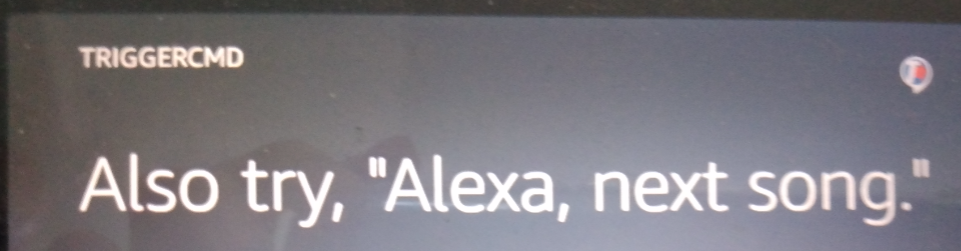
You can set that text for the command in the GUI editor:

In my commands.json it looks like this:
"voiceReply": "Also try, \"Alexa, next song.\"",BTW, for "Alexa, next song" to work, you'd need to create an Alexa Routine to run the next song command when you say that.

Hello! It looks like you're interested in this conversation, but you don't have an account yet.
Getting fed up of having to scroll through the same posts each visit? When you register for an account, you'll always come back to exactly where you were before, and choose to be notified of new replies (either via email, or push notification). You'll also be able to save bookmarks and upvote posts to show your appreciation to other community members.
With your input, this post could be even better 💗
Register Login