TRIGGERcmd
    • Categories
    • Recent
    • Tags
    • Popular
    • Users
    • Groups
    • Search
    • Register
    • Login

    Integromat API documentation

    Scheduled Pinned Locked Moved Instructions
    7 Posts 2 Posters 1.4k Views 1 Watching
    Loading More Posts
    • Oldest to Newest
    • Newest to Oldest
    • Most Votes
    Reply
    • Reply as topic
    Log in to reply
    This topic has been deleted. Only users with topic management privileges can see it.
    • RussR Online
      Russ
      last edited by Russ

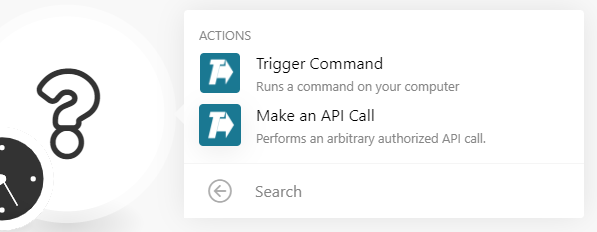
      Most people will want to use the Trigger Command action with Integromat because it's simple.
      fab594f5-c8a0-4d57-bba5-f7ba57b81e88-image.png

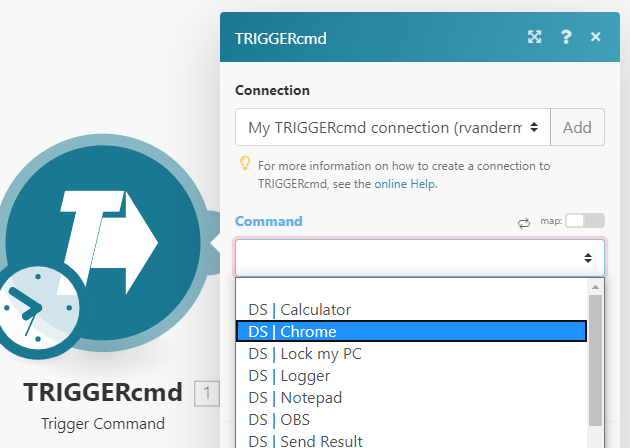
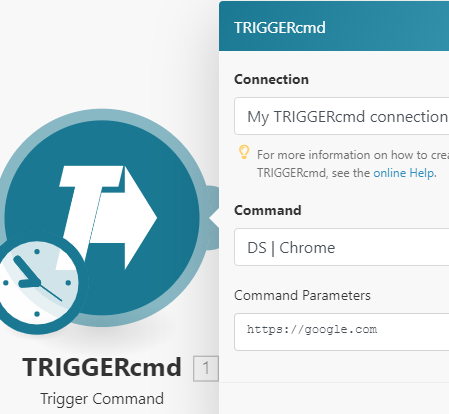
      With the Trigger Command action you select one of your commands from the dropdown, and optionally fill in the parameters field to pass parameters to your command.
      25ebc82b-d035-46a1-960a-1b8879249383-image.png

      2dcf4be3-9791-4d1a-b121-859baf46d49e-image.png

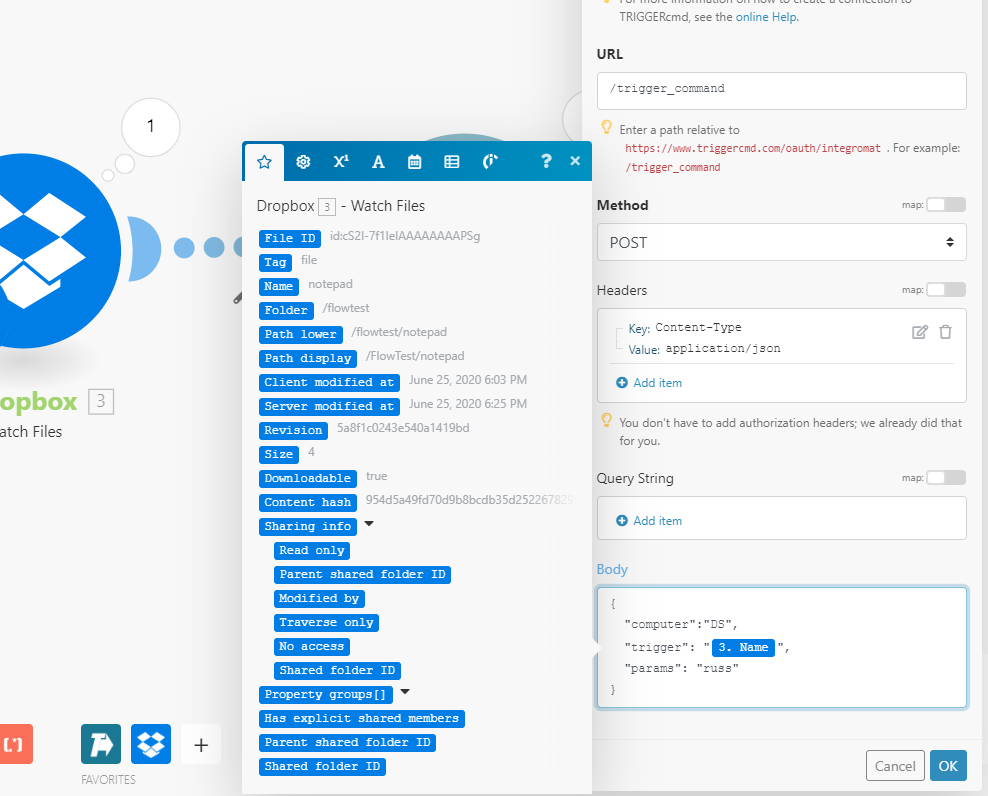
      When you select the Make an API Call action, you can specify your own API parameter values in the body field:

      {
        "computer":"DS", 
        "trigger": "notepad",
        "params": "russ"
      }
      

      Or use values from the incoming link, including values for the computer and trigger names:
      a71074a9-78eb-4084-813e-a4db4a5a466c-image.png

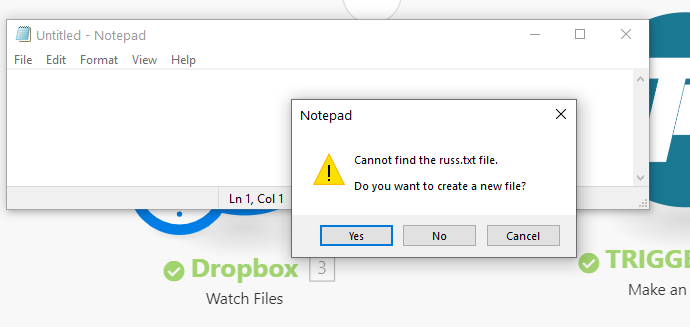
      Using the settings in the screenshot, I copied a file called "notepad" into my dropbox folder and it ran notepad with russ as the parameter:
      028317d5-fdaf-41f0-b9a3-5a5d449c65c4-image.png

      Russell VanderMey

      tuicemenT 1 Reply Last reply Reply Quote 1
      • tuicemenT Offline
        tuicemen @Russ
        last edited by

        @russ Where can you find this?
        is it still available?

        RussR 1 Reply Last reply Reply Quote 0
        • RussR Online
          Russ @tuicemen
          last edited by

          @tuicemen, yes, it's still available.

          https://www.integromat.com

          Russell VanderMey

          tuicemenT 1 Reply Last reply Reply Quote 0
          • tuicemenT Offline
            tuicemen @Russ
            last edited by

            @russ Thanks I'll check it out.
            It may be a good tool to help new users.

            RussR 1 Reply Last reply Reply Quote 0
            • RussR Online
              Russ @tuicemen
              last edited by

              @tuicemen it's alot like Zapier or IFTTT, or MS Power Automate. You connect various services together with it.

              Russell VanderMey

              tuicemenT 1 Reply Last reply Reply Quote 0
              • tuicemenT Offline
                tuicemen @Russ
                last edited by

                @russ Ok Thanks, so maybe not for those without some TRIGGERcmd experience?

                RussR 1 Reply Last reply Reply Quote 0
                • RussR Online
                  Russ @tuicemen
                  last edited by

                  @tuicemen, it's not difficult to use, but I agree it's also not the first thing a new user should attempt.


                  Russell VanderMey

                  1 Reply Last reply Reply Quote 0

                  Hello! It looks like you're interested in this conversation, but you don't have an account yet.

                  Getting fed up of having to scroll through the same posts each visit? When you register for an account, you'll always come back to exactly where you were before, and choose to be notified of new replies (either via email, or push notification). You'll also be able to save bookmarks and upvote posts to show your appreciation to other community members.

                  With your input, this post could be even better 💗

                  Register Login
                  • First post
                    Last post